
- Create custom rules that catch team-specific issues
- Upload existing style guides for automatic enforcement
- Configure repository-specific standards via
.greptile/orgreptile.json - Use per-directory rules in monorepos
- Verify rules are actually being applied
- Debug when rules don’t work as expected
Required Permissions
Understand who can configure custom standards:| Action | Owner | Admin | Member |
|---|---|---|---|
| View custom context | ✅ | ✅ | ✅ |
| Create/edit dashboard rules | ✅ | ✅ | ❌ |
| Delete dashboard rules | ✅ | ✅ | ❌ |
Edit .greptile/ or greptile.json | Anyone with repository write access | ||
| View suggested rules | ✅ | ✅ | ✅ |
| Approve suggested rules | ✅ | ✅ | ✅ |
| Delete organization | ✅ | ❌ | ❌ |
Permission issues are common. If you lose edit access, check with your organization Owner.
Configuration Methods
| Method | Best For | Version Control | Scope |
|---|---|---|---|
.greptile/ folder | Production standards, monorepos | Yes | Per-directory with cascading |
greptile.json | Simple repos, single-file config | Yes | Repository-wide |
| Dashboard | Quick experiments, org-wide defaults | No | All repos or specific ones |
Method 1: Dashboard
The quickest way to add custom rules. Changes apply within 2-3 minutes to new PRs.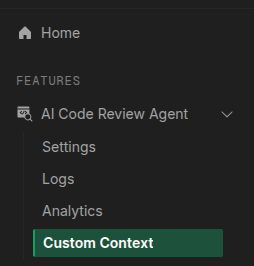
Create Rules
Rules must be specific and measurable: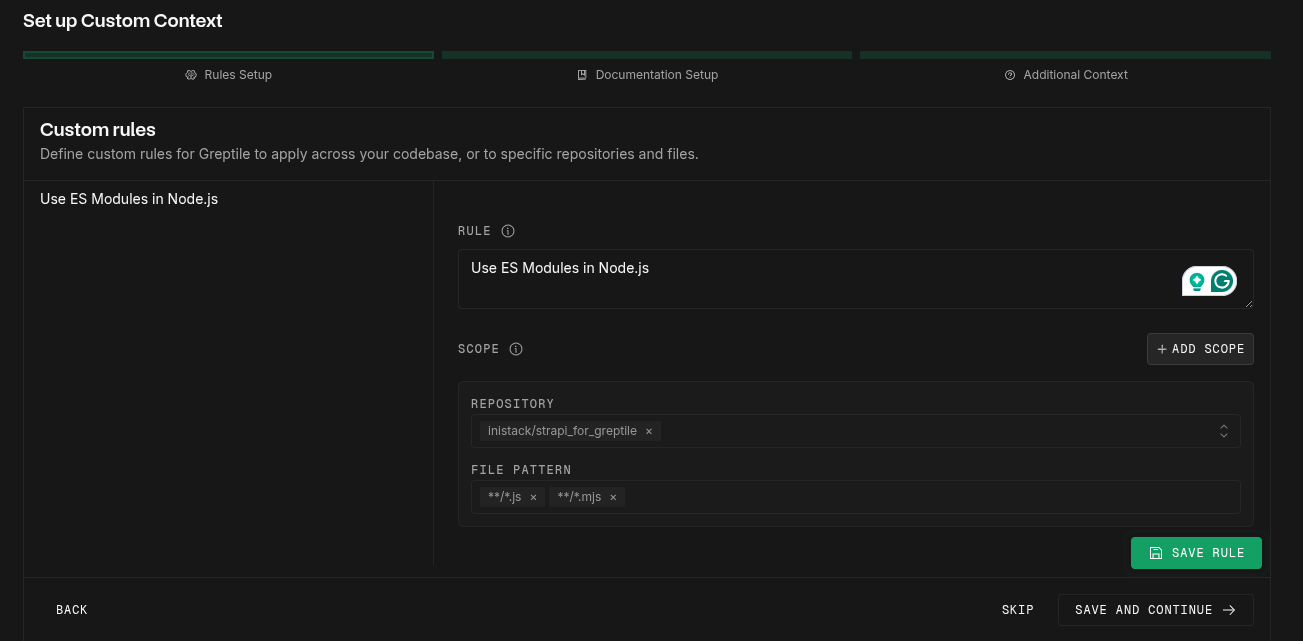
- ❌ “Write clean code”
- ✅ “Functions must not exceed 50 lines”
- ✅ “All API responses must include
statusandtimestampfields”
Upload Style Guides (Optional)
Point to existing documentation in your repository: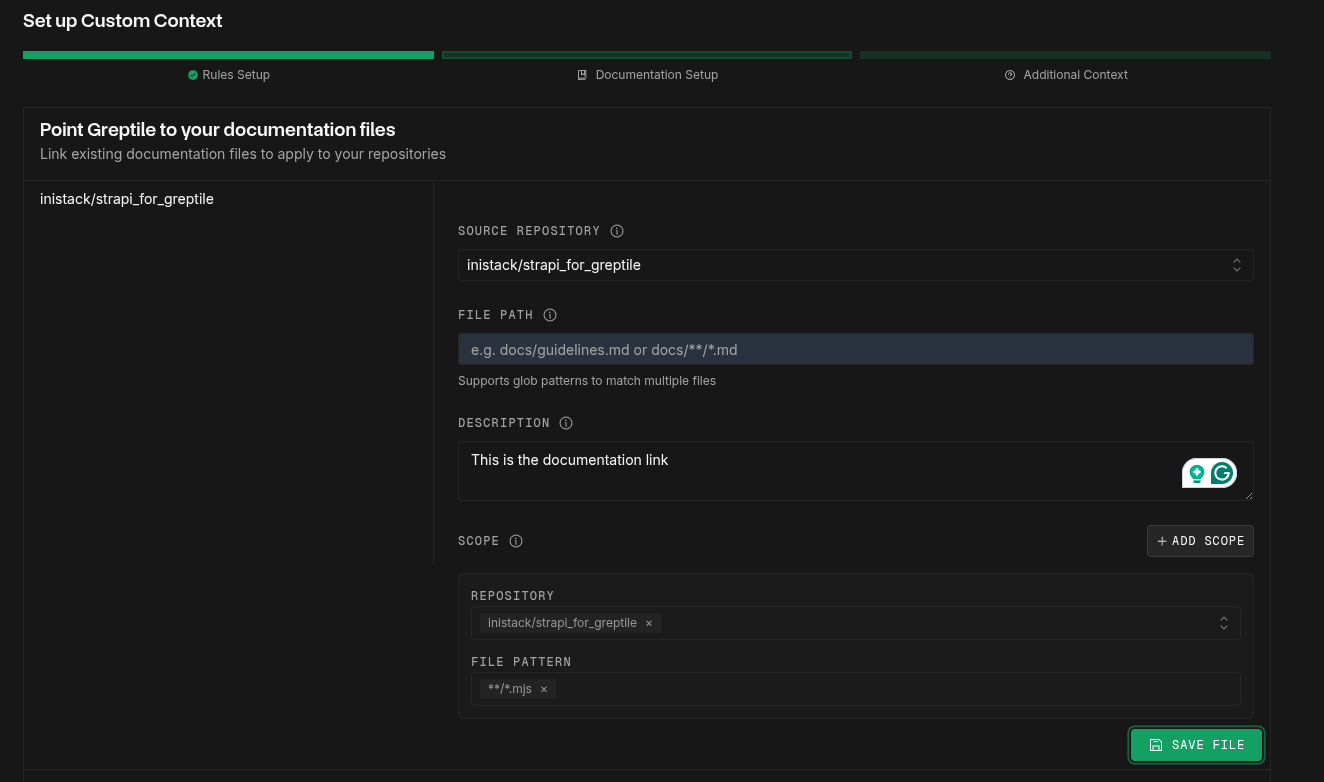
Method 2: .greptile/ Folder (Recommended)
The.greptile/ folder gives you version-controlled rules with per-directory overrides — ideal for monorepos and teams that want rules reviewed in PRs.
You have two options for defining rules: structured JSON rules in config.json, or free-form markdown in rules.md. Use both in the same folder if you want.
Structured Rules (config.json)
Each rule has arule string, plus optional scope, severity, and id fields:
.greptile/config.json
id field matters if a child directory needs to disable the rule — see Disabling Inherited Rules.
Markdown Rules (rules.md)
For rules that benefit from prose, examples, or code blocks, userules.md:
.greptile/rules.md
.greptile/ folder.
Context Files (files.json)
Point the reviewer to existing files it should read — database schemas, API specs, architecture docs:.greptile/files.json
Method 3: greptile.json
A single JSON file for repository-wide configuration. Good for simpler repos that don’t need per-directory overrides.Understanding customContext Types
ThecustomContext field in greptile.json accepts three arrays:
1. rules - Specific coding standards to enforce
files - Reference existing documentation
other - General context and background information
scope patterns using glob syntax to target specific files or directories. If no scope is specified, the context applies to all files.
Complete Configuration Examples
- Custom Rules
- Full Example
Verifying Rules Are Active
Many teams report rules “not working” - here’s how to verify:Check 'Last Applied' Status
Dashboard → Custom Context → Rules tab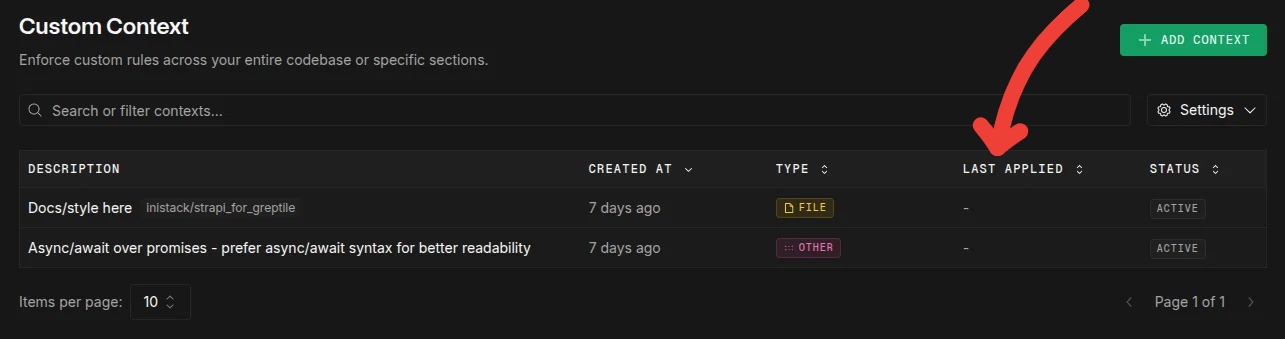
- Should update within 2-3 minutes of adding rule
- If stuck on “Never”, repository may not be indexed
- Force refresh: Create PR with
@greptileai review
Suggested Rules (Auto-Learning)
Greptile automatically suggests rules based on your team’s patterns: How it works:- After ~10 PRs, Greptile detects consistent patterns
- You can approve, modify, or ignore suggestions
- Duplicates may appear (safe to ignore)
Suggested rules may duplicate existing ones. This is a known issue - just mark as ignored.
Troubleshooting Custom Rules
Rules not being applied
Rules not being applied
-
Check “Last Applied” timestamp (Dashboard → Custom Context)
- If “Never”: Repository not indexed or rule not triggered
- If old: Rule may be inactive
-
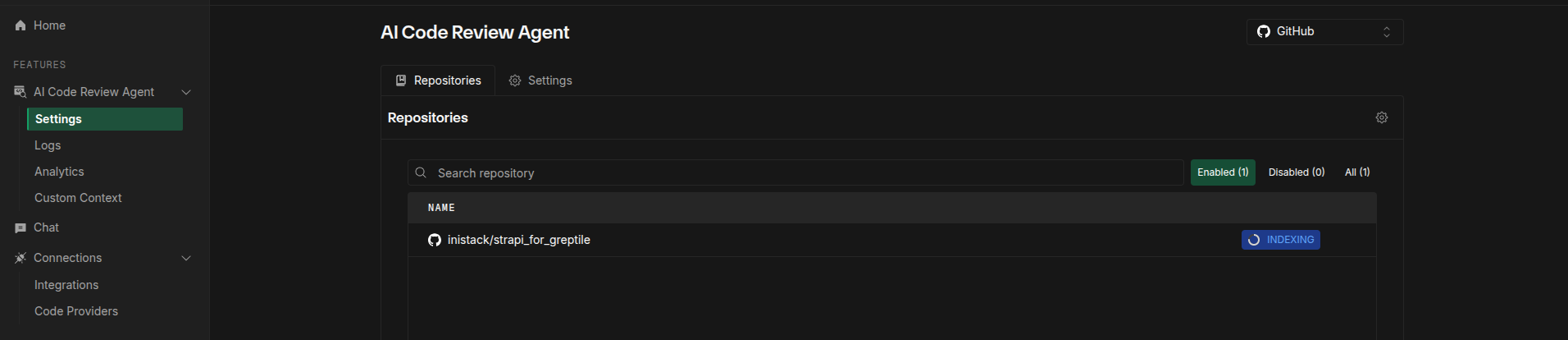
Verify repository is indexed (Settings → Repositories)
- Status must be “Indexed” not “Indexing” or “Failed”
-
For
.greptile/orgreptile.jsonrules:- Validate JSON syntax
- Rules won’t show in dashboard (this is expected)
- Takes effect on next PR only
-
Force trigger: Comment
@greptileai review this
Dashboard rules not syncing with .greptile/ or greptile.json
Dashboard rules not syncing with .greptile/ or greptile.json
This is expected behavior:
- Dashboard and repo-level configs (
.greptile/orgreptile.json) are separate systems - Repo-level rules apply during review but don’t show in dashboard
- Dashboard rules don’t generate config files
- You can use both, but repo-level config takes priority
Pattern syntax errors
Pattern syntax errors
❌ Wrong - comma-separated string:✅ Correct - array of patterns:
ignorePatterns only affects reviews, NOT indexing. Files will still be indexed.Rules not specific enough
Rules not specific enough
Bad: “Follow best practices”Good: “Variable names must be camelCase, min 3 characters, no Hungarian notation”Include examples in your rule for best results:
What’s Next?
- .greptile/ Configuration → - Cascading config with per-directory overrides
- .greptile/ File Reference → - Complete schema for config.json, rules.md, files.json
- Pattern Repositories → - Share rules across repositories
- greptile.json Reference → - Legacy format configuration options