The larger your team and codebase get, the more important testing becomes, and the more of a problem flaky tests become.
Flaky tests eat developer time: finding them, diagnosing them, fixing them, and rerunning pipelines while you wait. If the problem keeps growing, the test suite turns noisy and unreliable, and developers start ignoring it altogether ("let's just rerun it until it passes").
That's how bugs reach production. Sometimes the failure that everyone wrote off as flaky was the code breaking, not the test. Over time, that erodes how much your team can trust its codebase. So how do you find, fix, and prevent flaky tests before it gets to that point? That's what we'll break down in this piece.
What is a flaky test?
A flaky test is a test that produces inconsistent results on the same code. It sometimes passes and sometimes fails without anything about the code changing. A flaky test can also pass several times in a row and then fail later on, for no clear reason.
Google's definition is the same: a flaky test result is one where a test "exhibits both a passing and a failing result with the same code" [1].
Flaky tests generally fall into a few categories:
- Random flakiness: the test fails at random. Sometimes it passes, sometimes it doesn't, even though nothing has changed. These are often the hardest to pin down.
- Environmental flakiness: the test works on one developer's machine but not another's, or it works locally but not in CI. The code hasn't changed; the environment has. Since the code should behave the same in both places, the test is still flaky.
- Order-dependent flakiness: the test passes when it runs alone but fails when it runs after (or alongside) certain other tests, because they share state. Same code, different order.
Flaky test examples
There are lots of reasons why test flakiness happens (we'll get into those next), but here are a few examples of flaky tests themselves:
- You're running a UI test of your checkout flow. The test navigates the flow fine and eventually clicks "Submit." Sometimes it works, sometimes it doesn't. That's a flaky test.
- You're running a test that verifies a user action: can a user change the email address on file? Sometimes the action completes and the test passes, sometimes it doesn't. That's test flakiness.
- You're running a test to check your user awards feature. Do users receive the right "awards" based on their actions in the app? Sometimes it passes, and sometimes it breaks. That's test flakiness, too.
Spotting a flaky test is generally the easy part. The real question is: why isn't the test passing consistently?
What causes flaky tests?
Part of what makes test flakiness hard to fix is that there are so many reasons a test might be flaky. Some of the most common causes include:
- Environmental factors
- Concurrency and race conditions
- Time-sensitive flakes
- External dependencies
- Non-deterministic code
- Asynchronous code
Environmental factors
Tests pass locally, but fail on another developer's machine or in the CI/CD pipeline. This kind of flakiness usually comes from hardware differences, different operating systems or library versions, low memory or CPU, network speed, or other concrete differences between environments.
The problem is that environmental flakiness trains developers to assume "well, it worked once, so it's fine," even when there's a real bug that needs fixing. Over time, that leads to less stable code and less reliable testing.
Fix this by: keeping environments, especially test environments, as identical as possible, so you can avoid or rule out environmental causes. Containers and sandboxes isolate builds from individual machines and help reduce test flakiness.
Concurrency and race conditions
Take another look at one of the examples from earlier:
You're running a test that verifies a user action: can a user change the email address on file? Sometimes the action completes and the test passes, sometimes it doesn't.
What's going on here? Likely a concurrency problem or race condition. Multiple tests are running in parallel and sharing the same database. Test A changes the user's email address, and Test B adds and deletes the same user. When Test A runs first, it passes. When Test B runs first, Test A fails, because the user has already been deleted.
Fix this by: isolating test runs or resources. If tests need to run in parallel, give each one its own database or resources to draw from. If they don't, reduce the number of tests running at once, or run tests in isolation to identify and eliminate the flakiness.
Time-sensitive flakes
Here's another example from above:
You're running a test to check your user awards feature. Do users receive the right "awards" based on their actions in the app? Sometimes it passes, and sometimes it breaks.
This is the kind of flakiness that time-sensitive code causes. Tests that calculate relative dates, read the live system clock, or depend on date and time logic are at high risk.
Say the "award" is granted based on a user's actions across a series of dates (for example, logging a workout every day for a week). Flakiness around those dates and times often shows up:
- Because developers' machines are set to different time zones
- Around midnight or the start of a month, when relative date calculations shift
- When the month changes, especially around shorter months like February
Fix this by: using fixed date and time values in tests where you can, or injecting a clock or mock time library into your test code so time is the same on every run.
External dependencies
If your codebase leans on a lot of third-party services, you'll run into this one more often.
Tests that make live calls to third-party APIs, databases, payment gateways, and so on can fail for external reasons you can't see: downtime on the third party's side, rate limits, latency spikes, timeouts.
Fix this by: using mocks or fake services to create a more controlled test environment, or using containers to run dependencies locally so your tests rely less on third-party systems.
Non-deterministic code
Similar to time-sensitive flakiness, non-deterministic code means the code or test relies on random or unpredictable inputs. That can be dates and times (as above), or random values, network responses, user input, and so on.
Uncertain inputs tend to make your test results uncertain too, because every run introduces variables you don't control.
Fix this by: controlling your test environment as strictly as possible. Seed random number generators, use fake or mock data in place of unknown inputs, and isolate your tests from non-deterministic elements.
Asynchronous code
Asynchronous code is a common cause of test flakiness. The test and the application run separately, and the test has to check whether the application produced the right result in time.
Back to our first example:
You're running a UI test of your checkout flow. The test navigates the flow fine and eventually clicks "Submit." Sometimes it works, sometimes it doesn't.
This might be an async timing problem. The test expects the confirmation page to load within a fixed window, say 500ms. On one machine, it loads in 300ms, so the test passes. On another machine, or in CI, it loads in 600ms, so the test fails.
Fix this by: polling for the expected condition or using callbacks to wait until the result is actually ready, instead of relying on hard-coded timers or sleeps.
How common are flaky tests?
Very. In 2016, Google reported that about 1.5% of all its test runs returned a flaky result, that almost 16% of its tests had some level of flakiness, and that about 84% of the pass-to-fail transitions its CI system observed involved a flaky test [1].
That last number is the real cost. When most new failures turn out to be flakes, people stop treating failures as signal. Google's own write-up says it plainly: "It is quite common to ignore legitimate failures in flaky tests due to the high number of false-positives" [1].
How to detect flaky tests
Detecting flaky tests comes down to statistics: does the test pass or fail consistently on the same code, or not? Finding them usually takes some combination of:
- Rerunning tests. Rerun tests regularly, including on code that hasn't changed. Document and isolate any test that fails intermittently across multiple runs.
- Analyzing execution history. Look for tests that both pass and fail on the same commit. Maybe they passed in one environment or at one time of day and failed in another.
- Shuffling test order. Running tests in random order or in smaller batches can expose hidden dependencies between tests. If a test only passes when it runs in a specific order, it's brittle, and it can turn flaky now or later.
- Capturing logs and evidence. Flaky tests are much easier to detect (and fix!) when you can see what happened inside the run. Tools that keep logs, screenshots, scripts, and traces alongside the result make diagnosing a flaky test or a real bug much faster.
- Using automated and AI testing tools. Tooling can track flakiness across runs and help you diagnose failures without running and analyzing everything by hand.
12 ways to fix test flakiness
Most importantly: how do you actually reduce test flakiness? There's no one fix, since flaky tests have so many causes. Here's a checklist to run through the next time a stubborn flaky test has you stumped.
1. Reproduce the flakiness, if you can. If you can reproduce the flakiness (it only fails at certain times, on certain machines, or under certain load), that's your biggest clue to fixing it. And a test that mostly works and then suddenly stops can point to a problem in the underlying code rather than the test.
2. Decide whether to quarantine, watch, or fix the test. Some flakiness is so rare or inconsistent that it's hard to tell what's going on, and watching it for a while is the practical call. More obvious flakiness needs a fix now, or a quarantine so it stops blocking everyone else's merges while someone investigates.
3. Cut down false alarms. Frequent false alarms are what teach developers to ignore failures. One common system: automatically rerun a failed test a few times. If it passes on any rerun, it's flaky and should be tracked or quarantined. If it fails every time in a row, it's more likely a real problem in the code and the author should look at it quickly. Google does a version of this:
“We have several mitigation strategies for flaky tests during presubmit testing, including the ability to re-run only failing tests, and an option to re-run tests automatically when they fail.
”
Google can also mark a test as flaky so it only reports a failure if it fails three times in a row. The same write-up is candid about the downside: it reduces false positives, but encourages developers to ignore flakiness in their own tests [1]. Reruns buy you time. They don't fix anything.
4. Actually address flaky tests as they come up. When a test is obviously flaky, don't keep rerunning it until it passes, and don't ignore it. Ignoring flaky tests builds a culture of ignoring tests, and then real bugs slip through to production. Isolate, investigate, and fix flaky tests regularly.
5. Write better tests as a team. Many causes of flakiness come from how tests are written in the first place. Avoid implicit waits and tests that depend on each other, write tests that are safe to run in parallel, isolate test environments, and so on.
6. Avoid sleeps and implicit waits whenever possible. A fixed sleep is a guess about how long something will take, and it will eventually guess wrong on a slower machine or a busier CI runner. Poll for the condition you actually care about instead.
7. Improve your environment. Reduce differences between environments as much as possible so you control what your tests run against. Use sandboxes and containers, mock time and dates, and start every run from a clean state.
8. Check the test against the common causes. We listed the major ones above. Run through that list and compare it against your test. Does anything jump out? If you find a lead, fix or rewrite the relevant test code and rerun it to see if the flakiness goes away.
9. If you can't find anything obvious, make the test simpler. This tip comes from Jason Swett, a developer, consultant, and author:
“Many times when I look at a flaky test, the test code is too confusing to try to troubleshoot. When this is the case, I try to improve the test to the point that I can easily understand it. Easily understandable code is obviously easier to troubleshoot than confusing code. To my surprise, I've often found that, after I improve the structure of the test, the flakiness goes away.
”
Sometimes, even when the root cause isn't clear, simplifying the test's code and structure is all it takes [2].
10. Look at the code under test. Sometimes a test breaks because of how the test is written. Sometimes it's the code itself. Look for the causes above, like non-deterministic behavior or external dependencies, in the application code too. Then adjust and rerun.
11. See what actually happened during the run. The fastest way to fix a flaky test is to see what really happened, step by step, instead of guessing from a pass/fail result. Keep logs, screenshots, traces, and command output for failed runs, and run in a clean, isolated environment so leftover state from a previous run can't muddy the picture. That's what lets you tell whether a failure came from the code, the environment, or the test itself. (More on how TREX approaches this below.)
12. If the test still can't be fixed, consider deleting it and writing a new one. Sometimes starting over really is the best option. Deleting a test should never be your first move, but you shouldn't accept a flaky test as the status quo, either.
How E2E testing affects test flakiness
End-to-end (E2E) testing validates an entire workflow from the user's point of view. Unit tests, by comparison, test a single function or component.
- A unit test might ask, "Does the submit button render?" or "Does the email update function save the new address?"
- An E2E test might ask, "Does the checkout flow work from cart to confirmation?"
E2E tests matter more as teams adopt agentic coding. A coding agent can write a dozen unit tests that all pass and still not prove the feature works for a user. Tests can even hide bugs: they pass because of how they were set up, not because the code is right. E2E tests check that the code actually works for the end user, together with all the other code it touches.
The downside: because E2E tests touch so many parts of your system and have so many moving pieces, they're much more prone to flakiness. More services, more network calls, more timing, more state.
And you can't rely on the agent that wrote the code to be the one that checks it. Models are worse at reviewing their own code than at reviewing another model's, because the blind spots that produced a bug are the same ones at play when that model reviews it.
Where TREX fits
To be clear about what TREX is and isn't: it's not a flaky-test detector. It doesn't rerun your CI suite or track pass/fail history across runs. For that, you still want the detection practices above.
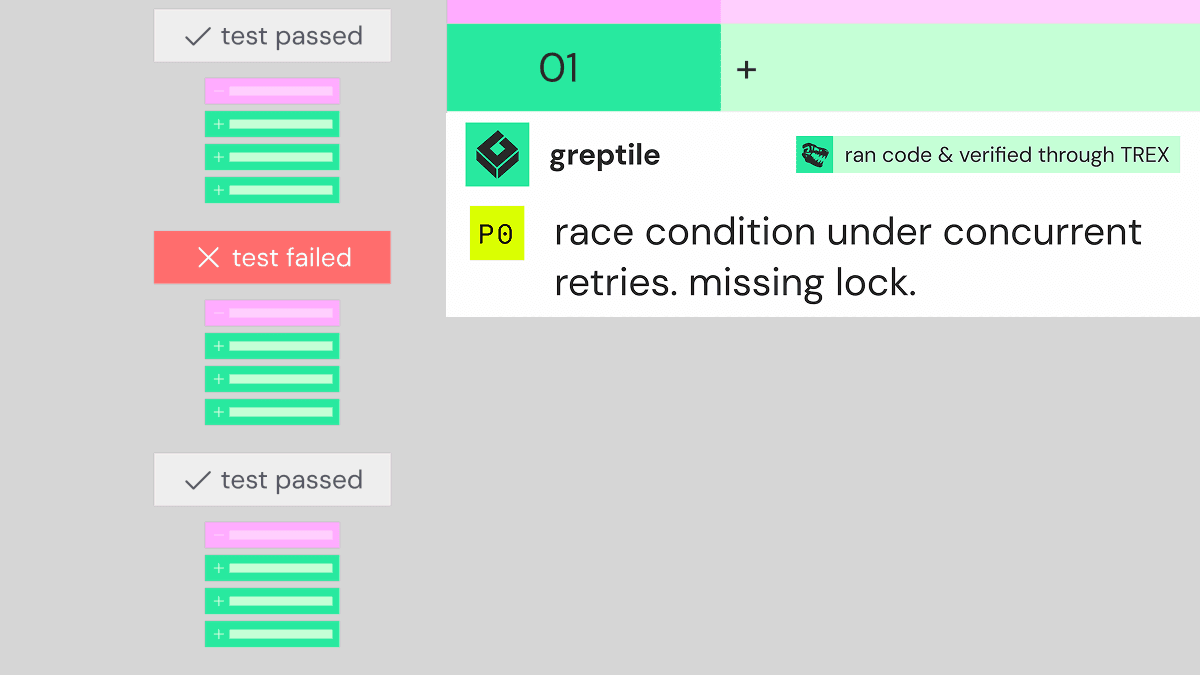
What TREX does is test the change in a pull request by running it. TREX runs alongside Greptile's review agent, tests your app's user flows end-to-end, and executes the code relevant to the PR in a sandbox. That helps with the same underlying problem flaky tests create: not knowing whether a failure means the code is broken.
- Clean, isolated runs. Each TREX review runs in its own disposable sandbox. It starts from a saved snapshot of your repo's built environment and fetches the exact PR commits, so leftover state from an earlier run doesn't leak in.
- Bugs and environment problems reported separately. TREX's PR comment lists Findings (flows where it observed a bug) separately from Obstacles faced (problems that limited testing, like missing credentials or a service that didn't start). Checks that were blocked are marked as blocked, not failed. That's the split you need when you're trying to tell "the code is broken" from "the environment didn't come up."
- Evidence for every result. The comment links to the evidence from the run: depending on the flow, recordings, screenshots, command output, API requests and responses, or the scripts TREX executed. When something fails partway through a flow, you can see which step broke and what happened right before it, not just the final failure.
You can read more about how the sandboxes and evidence work in Building TREX: code execution and artifact generation for AI code review.
Here are a few bugs TREX caught in real open-source repositories:
- Concurrency: Overlapping workers submit duplicate channel reclaims (solana-foundation/pay)
- Memory safety: Size setters expose stale allocation (InsightSoftwareConsortium/ITK)
- Security: Public-suffix cookie scope crosses tenant boundaries (hoppscotch/hoppscotch)
The memory safety example shows how a test can hide a bug. In the developer's reply after fixing it:
The test was complicit in hiding this: it called
resized.Allocate()by hand immediately after the size write, which is why it passed both with and without the defect.
A test that passes with and without the bug isn't flaky, but it fails you the same way: it tells you nothing. Running the code and looking at what happened is how you catch both.
See more bugs TREX has caught.
TREX is in private beta. Once it's enabled, it runs on pull requests that match the filters you configure, in a repo environment that builds, and its PR comment links to the evidence from each run.
If your team is losing hours to writing, rerunning, diagnosing, and second-guessing tests, there are other options. Testing has to change as more of your code gets written by agents, and the same goes for shift-left testing in general.
Try Greptile free for 14 days and see what running the code on your PRs can catch →
Sources
[1] Micco, J. "Flaky Tests at Google and How We Mitigate Them." Google Testing Blog, May 27, 2016. testing.googleblog.com/2016/05/flaky-tests-at-google-and-how-we.html
[2] Swett, J. "How I fix flaky tests." Code with Jason, April 15, 2023. codewithjason.com/how-i-fix-flaky-tests