Coding agents have changed how fast teams write code, but we’re still reviewing it in interfaces built for a much slower pace.
Today we’re introducing a new PR inbox in Greptile to help you work through those reviews, faster than ever without sacrificing attention to detail. It brings merge checks, a walkthrough of what changed, and chat together so you can understand a change and decide what to do next.
Merge status
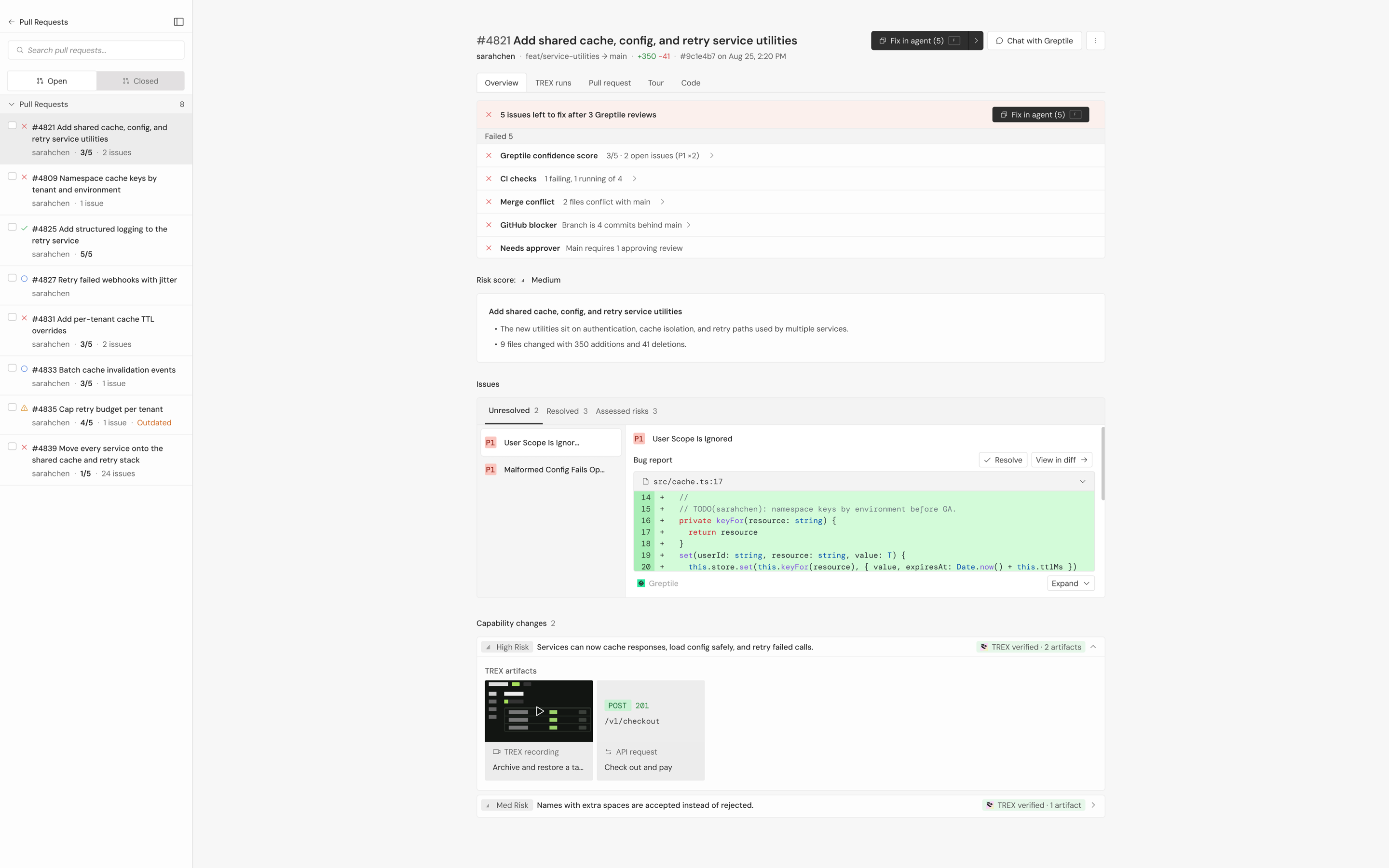
When you open a PR, merge status shows your CI checks, merge conflicts, required approvals, and Greptile review in one place. You can see what’s passed and what’s holding up the merge. If Greptile found an issue, you can send it straight to your coding agent to fix.
Code tour
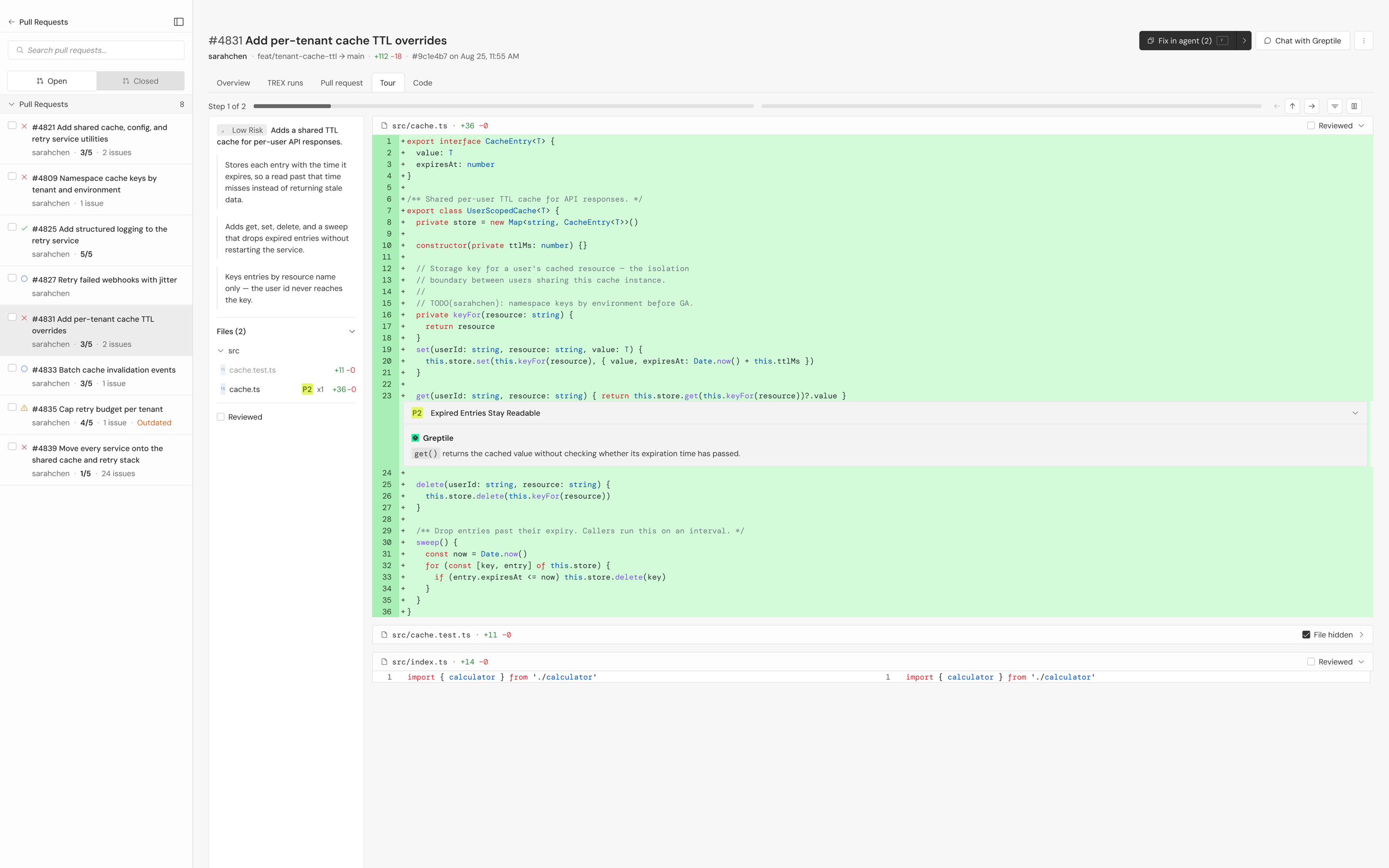
To understand the change itself, open the Tour tab. The code tour groups related edits and explains what each change does, with key issues and surrounding code alongside it.
You can follow the explanation through the relevant code, then switch to the full diff to inspect individual edits.
Chat with your PR
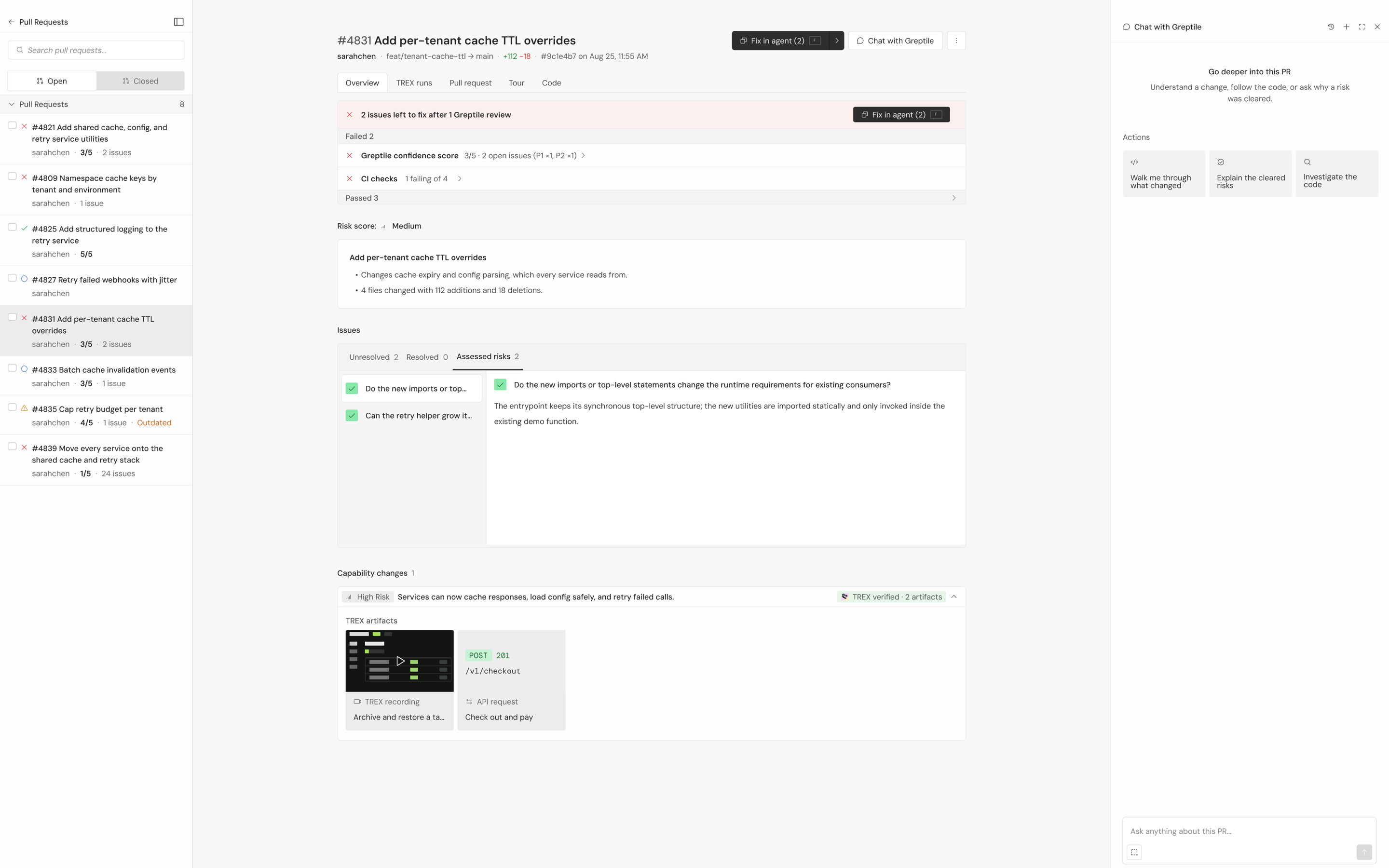
When something needs a closer look, open the sidebar and chat with the PR. Ask it to walk you through what changed, explain the cleared risks, or investigate the code. You can also select code or a finding and ask about it.
The chat uses context from the review alongside what you selected, so you can investigate the code and ask follow-up questions without gathering that context yourself.
Bulk approve and merge
Once you’ve finished reviewing, you can approve or merge the PR and move to the next with keyboard shortcuts. You can also select several PRs to approve or merge together, working through your queue from the same inbox.