If you're an Engineering Manager or Director running an eval on code review tools, the good news is: you've got lots of choices.
The bad news is that not all of those choices are created equal, even for the same use cases. And some use cases are harder to find the right tools for than others. If you have:
- Dozens or hundreds of engineers on your team
- Complex or messy monorepos
- Enterprise security needs
... you're likely going to have a harder time finding the right tool, because there are fewer that cater to these situations. If you've already tried a few code review tools, or you're using a code review tool and your PR cycle times are still growing, it's probably not you: it's the tool.
In this article, we're not going to try to tell you which tool to use. Instead, we're going to show you our process for evaluating code review tools, especially for large, enterprise teams with complex codebases.
What are code review tools?
Code review tools are software applications, often automated checkers or AI-powered reviewers, that help developers review, analyze, and fix new code before merging it into the source code.
Code review tools don't (or, shouldn't) replace human review. Instead, they help drastically reduce the amount of time your (expensive!) human developers spend on reviews by raising the code quality and fixing basic errors and bugs. The goal of a code review tool is to automate part, or most, of the code review process, while improving the results and consistency so you can ship better, stronger, more trustworthy code.
3 core types of code review tools
There are three core types of code review tools:
1. Linters and formatters. These are the most basic kind of automated code review tools. Linters and formatters are often language-specific, and they look at syntax, style, formatting, and other surface-level errors. Their main goal is to keep code clean, readable, and easily maintainable. They primarily find errors like:
- Stylistic inconsistencies
- Unused variables
- Syntax errors and dead code
- Naming convention violations
- Code smells (bug risks, anti-patterns)
They're super fast, often open-source, and an excellent way to make sure code is clean before sending it off for review.
2. Static analysis tools (aka SAST tools). Static analysis tools are the next step up. They use rule-based scanning and pattern matching to analyze your code against huge libraries of rules or known vulnerabilities (CVEs). Then, they flag known patterns or errors identified in your code for you to fix. Many allow you to add your own custom rules, which can help catch more bugs. They primarily look for errors like:
- Security vulnerabilities (like injection or authentication flaws)
- Highly complex code
- Logic bugs
- Null pointer dereferences
- Compliance errors
These tools are extremely helpful, but they can also be very noisy: flagging lots of harmless code because it matched a common error pattern. Finding ways to reduce noise and increase precision on these tools is generally the #1 problem.
3. AI code review tools. The most advanced code review tools are ones that use AI to perform the code review (e.g., Greptile). Instead of using static, rules-based pattern matching, these tools use machine learning and LLMs to analyze code contextually. That gives them a broader ability to find and catch errors in your codebase, while reducing noise. They can also find bigger, more critical (but harder to catch) errors, run sandbox testing, suggest corrections and sometimes fix errors on their own, and do deeper reasoning about logic, architecture, and intent.
For example, AI code review tools might look for:
- Cross-file dependencies
- Logical flaws and edge case issues
- Architectural or structural inconsistencies
- Context-dependent issues
- Business logic issues
Here are some recent bugs that Greptile, an AI code review tool with runtime validation, caught in real repositories:
| Category | Bug caught | Repository |
|---|---|---|
| Logic | Stale cache breaks pagination | Netflix/metaflow |
| Validation | Max writes bypass the cell limit | PostHog/posthog |
| Auth bypass | Permission-stamp cache crosses tenant boundaries | elsa-workflows/elsa-core |
What should be checked during a code review?
A good code review has three layers: mechanical, structural, and narrative.
During a code review, each of these should be checked in turn.
The mechanical layer should be handled by machines and tools: linters, SAST tools, or AI code review. In this stage, you're looking at the mechanics of the code:
- Is the code formatted correctly? Is unnecessary whitespace removed?
- Are invalid inputs sanitized?
- Do unit tests pass?
- Is it following our style guide?
The structural layer is the most important. It evaluates the changes made, how the pieces fit together, what the long-term impact on the entire codebase will be, and how easy the code will be to maintain. It covers architectural and functional questions like:
- Is it secure? Is the code performance acceptable?
- Are errors and warnings logged? Are different errors handled correctly?
- Are the relevant parameters configurable?
- Is the code easy to read? Is the change more complex than it should be?
- Does this code do what the developer intended?
- Is minimal nesting used?
- Have edge cases been tested?
The narrative layer manages the intent for the project and for this piece of code. It makes sure that your intent, changes, context, and reasoning are connected to the code, so that future you (or future coworkers) can continue to maintain, improve, and update the code easily. It thinks about things like:
- Have the requirements been met?
- Have stakeholders approved the change?
- Is there sufficient documentation? Are comments clear and useful?
- Do manual test plans pass?
A clear and shared code review checklist for your team keeps code review consistent and protects your source code.
How to evaluate code review tools for your team: The 4 step framework
So, you know what to check and what types of tools are available: how do you pick the right one for your team?
If there's one thing that's true about software, it's that there isn't a one-size-fits-all solution. Even the most widely adopted platforms (looking at you, GitHub) aren't right for every situation. Here's how to think through the right tool for your team:
- Step 1. Define your variables
- Step 2. Review tools on paper and define your shortlist
- Step 3. Run a live test
- Step 4. Get developer feedback
Step 1. Define your variables: what does your team actually need?
For most engineering teams right now, code is rarely the bottleneck: code review is. But you need to drill down deeper than that: what are your code review bottlenecks? Figuring out what exactly needs to be solved is much more effective than just reviewing feature lists. You should determine:
- Your team size. How many devs need a seat?
- Number of reviews. How many reviews are you running per week, per month? And how big are they?
- Codebase size. Are you running a massive, complex monorepo, a messy multi-repo, or a lightweight monorepo?
- Bottlenecks. Do you have more engineers than reviewers? Lots of AI-generated code with no one to review it? Embedded context and expertise that's hard to outsource to a tool?
- Bugs slipping through. What's making it through to prod? Are there specific issues or bugs that your tools (or your devs) aren't catching?
Step 2. Review tools on paper and define your shortlist
Start by comparing the top tools for your use case on paper. Compare your needs to (at least) the following features:
- Type of review. Do you need a basic static linter, or something more complex? AI code review tools are becoming the gold standard for context-rich reviews that mimic how your engineering team actually works. And AI code review tools work and perform pretty differently: if you've tried one, you haven't tried them all. What's your biggest blocker, and can this AI tool help prevent it?
- Context. Code review is essentially a game of finding the most important context. Your tool(s) should both (a) have context on your entire codebase, and (b) understand which context matters most, so they never miss important comments while skipping nits.
- Signal-to-noise ratio. A noisy code review tool is wildly annoying to your engineering team, which leads devs to reach for
--quietor--suppress-alland ignore the comments altogether. Not exactly the best use of your tooling spend or the best way to catch bugs. - Accuracy. How does this tool perform? What kinds of bugs can it catch, and what percentage of bugs does it catch? Is it designed for a specific type of review or does it perform well across the board? Look for real examples of bugs a specific tool has caught as a starting place.
- Workflow and stack integration. Does this tool work with your processes? Can you use it at the PR stage? In your terminal? On-prem or self-hosted?
- Multi-model architecture. Which AI coding tools do you use, and which AI models is your code review using? Adversarial models perform better. That is: if you're using GPT-5.3 Codex to write code, you shouldn't be using that same model to review it. Models tend to have the same blind spots when writing code as they do reviewing it, so look for multi-model architecture and agent-agnostic code review tools.
- Security. Enterprise teams need enterprise-aware tooling. Look for tools that adapt to your setup, your team, and your needs, with enterprise-grade security and governance controls.
- Testing or running the code. Can the tool test the code in a runtime environment or is it just reading the diff? Running the code and reading it mimics the SDLC better, whether or not you're a solo dev, and catches more bugs than reading the diff alone.
Evaluate your top tools on the above factors based on your needs, then narrow down your shortlist.
Step 3. Run a live test
The most important step: run a live test on each tool in your shortlist. Importantly, don't run all the tools on the same PR. This is a common inclination, but a flawed one: the tools' comments overlap, the reviews get messy, and it's hard to tell which tool caught what or how each one would perform on its own.
Instead, assign separate tools to certain teams, run each tool independently for a few weeks, or run separate tools on a small segment of your PRs for a set amount of time. The key is to use the tool as close as possible to how you would in your real workflow.
What metrics should you measure during a code review tool test?
Look at the following:
- Bugs caught. How often did it catch bugs your devs also caught (or better yet, ones they missed)?
- Signal-to-noise ratio. How noisy was it? Some tools are noisy out of the box but improve over time, so make sure your test is long enough to get a real sense. Are the devs ignoring it? Or is it making useful suggestions?
- Dev acceptance and rejection of comments. What percentage of comments get accepted or rejected by your team? High acceptance signals a useful tool.
- PRs reviewed and merged. Most importantly: what's the tool changing about your workflow? Can you see an impact on PRs getting merged? If not, it's likely not worth your time long-term.
- PR cycle time and time to first approval. Are PR cycle times moving? Is approval happening faster? Are devs implementing changes faster?
Step 4. Get developer feedback
The developer experience can make or break your team's usage and the overall usefulness of a tool. It seems obvious, but make sure you check in with your team and get quantifiable feedback:
- Are they actually using it or did they silence it after two weeks?
- Is the feedback useful? Is it making their job faster and easier?
- Are the reviews presented in a way that's quick to understand and review as an engineer?
You can also measure metrics like adoption rates and developer satisfaction alongside the other metrics above.
For example, Austin Pray, Engineering Manager, Platform Engineering at Mixpanel, told us:
“When we were doing the POC, the trial lapsed, and everyone came out of the woodwork: "Can you turn this thing back on?" "Can we get it back?" That was when I thought, "Okay. I can't really imagine our workflow without something like Greptile."
”
That's the kind of feedback that tells you a particular tool is invaluable for your process.
With all the data in, review the metrics, results, and dev feedback against your needs, and your choice should be obvious.
The best code review tools (a shortlist)
When you're ready to get started with your own evaluation, here's a good shortlist to get you started:
Greptile
Greptile is an AI code review tool that works like a senior developer does. It reads and indexes your entire codebase to provide high-precision, context-rich analysis that caught more bugs than the other AI review tools in our benchmark. It also learns from your team's actions and comments to give better feedback over time: reducing noise and nits without missing critical errors.
Better yet: it spins up a sandbox to actually run your code, mimicking your actual engineering process and finding errors that won't show up in tools that are just reading the diff. The results: teams merge PRs up to 4x faster while catching 3x more bugs.
Tool type: AI code review
Who it's right for: Medium to large enterprise teams with complex, messy monorepos that need context-rich, high-precision bug catching, with runtime validation and testing
Cost: Free Starter plan for one active developer, then $30 / seat / month (Pro), with a 14-day free trial
Want to see Greptile in action? Take a look at some recent bugs Greptile has caught:
| Category | Bug caught | Repository |
|---|---|---|
| GPU | GPU allocation bypasses reservation | NVIDIA/NVFlare |
| Security | Remote version enables shell injection | Netflix/metaflow |
| Logic | Version override never reaches bootstrap | Netflix/metaflow |
Cursor Bugbot
Bugbot is the built-in AI code reviewer and code fixer in Cursor. It scans pull requests for logic errors, security vulnerabilities, race conditions, and edge cases before merge. It favors precision over volume, which keeps noise down, but can also mean fewer findings on a given PR.
It's convenient for teams who are already using the Cursor IDE. But if the same model writes and reviews the code, keep in mind that models are worse at reviewing their own code: the kinds of bugs a model tends to introduce are the same kinds it tends to miss in review.
Tool type: AI code review
Who it's right for: Teams already using Cursor who want review and fixes to happen without leaving the IDE
Cost: Usage-based Bugbot billing on top of a Cursor subscription; included with Cursor Teams at $40 / user / month; custom Enterprise pricing
Qodo
Qodo is an AI code review tool that runs in either the IDE or at the pull request stage. Its focus is rules and standards: you can define custom standards and check PRs against tickets and engineering policies, and its review agents each cover a different area before combining their findings. That makes reviews more useful for teams with specific requirements. The trade-off is setup: Qodo delivers the most value when someone owns writing and maintaining those rules, which is harder for teams without a dedicated platform owner.
Tool type: AI code review
Who it's right for: Teams with a platform or engineering productivity owner who want PR review paired with custom standards enforcement
Cost: Free trial; Pro Team plan from $30 / month with credit-based billing; custom Enterprise pricing
SonarQube
SonarQube is a static code analysis tool that uses a large library of deterministic rules to catch vulnerabilities, bugs, and code smells, including injection flaws, auth errors, and other common vulnerabilities. You can also set up quality gates that block pull requests with outstanding issues from merging.
But it can be noisy out of the box, and getting the rules right takes manual configuration, especially for legacy systems.
Tool type: Static analysis
Who it's right for: Teams needing classic static scanning for code quality and vulnerabilities
Cost: Free tier; paid Team plan starts at $32 / month based on private lines of code; custom Enterprise pricing
Semgrep
Semgrep is a security scanning platform focused on vulnerabilities. It offers AI-assisted SAST and SCA scanning, but is primarily a security code review platform. Custom rules and a strong security focus make it great for enforcing standard vulnerability, OWASP, and secret detection rules.
Like most rules-based scanners, it takes ongoing rule tuning to keep noise down, and rules alone won't catch the context-dependent logic bugs that show up in complex codebases.
Tool type: SAST and SCA scanning
Who it's right for: High-risk, security-focused enterprises looking for a SAST and SCA scanning tool that uses AI to enhance (but not replace) rule-based scans
Cost: Free for up to 10 contributors; from $30 / contributor / month for Code (SAST) or Supply Chain (SCA); custom Enterprise pricing
Need more options to build out your list? Try one of these based on your needs:
How to future-proof your code review process
Future-proofing your code review process isn't just about moving faster: it's about scaling trust alongside speed.
1. The end goal: validation and code review should restore trust without losing velocity
If you scale speed and code without review, AI code issues slip through the PR process and rot in your codebase, accumulating over time.
For example: a study from Liu et al. found that, of 464,900 tracked AI-introduced issues in real production repositories, 105,364 still survived in the latest version of the codebase studied: a survival rate of 22.7% [1]. These issues erode trust, and worse, they degrade your codebase and increase code complexity over time.
At the same time, He et al.'s study of Cursor adoption in 806 GitHub repos found that velocity gains fade within two months of adoption. However, code complexity (+41%) and static analysis warnings (+30%) rise at adoption and remain elevated for the full observation period [2].
The fix for both of these problems is great code review that works with the speed and scale of AI, restoring the trust that velocity can lose without becoming a bottleneck. To do so:
2. Find a code review solution that mimics the real engineering process
In traditional code review, engineers don't (shouldn't) just read the code. They run it and test it, finding errors that can't be found by reading a diff. But a lot of automated and AI code review tools only review and scan the code, without running it.
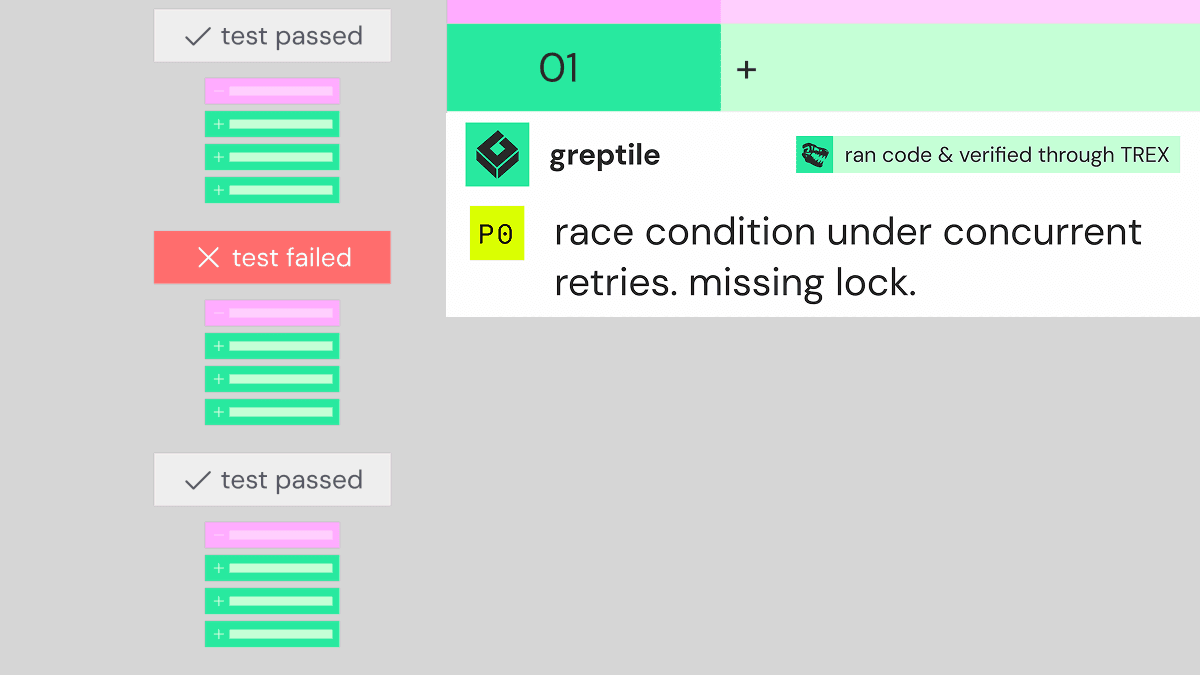
This misses crucial bugs and erodes your codebase over time. That's why we built Greptile with TREX: a runtime agent that, once enabled for your repos, spins up a sandbox to run PRs that match your filters and links the evidence (screenshots, logs, scripts, and more) to show you what went wrong at every step.
Teams like Gumloop, which has had 12,700+ PRs reviewed by Greptile, rely on it as a safety net to keep critical bugs from shipping:
“Greptile catches a bunch of small issues that could have been very bad if they went to prod.
”
Greptile also indexes your entire codebase before running a single review, then reviews each PR with your entire codebase in mind. This context-rich review helps Greptile catch more bugs, find what's relevant for your codebase, and avoid nits. It's the difference between comments like "possible API error" and "This package exposes an API that looks like this, but you are using it incorrectly" (the kind of comment Vouch's team says they get from Greptile).
👀 See more bugs (like resource leaks, auth bypasses, and resource limit errors) that Greptile is catching in real time →
3. Don't just mimic what exists now: build your code review process for the future
At Greptile, we're not just thinking about the traditional engineering process. We're also thinking about how to build code review for the future, and forward-thinking engineering leaders are doing so with us. We're building things like:
Agentic coding and greplooping. While agents code, AI code reviewers should work independently too. Greptile's "greploop" skill lets your Greptile agent work independently with your coding agent to find and fix errors and bugs until the PR gets a confidence score of 5/5. It then passes the PR to your developers with less review left to do.
“Before Greptile I was drowning in code reviews: six people, an endless stream of reviews that come out. A large portion of my time was spent reviewing everyone's code. And because of this, I would miss logic errors here and there. You can't catch everything at that level of review. ... But now with Greptile, I can be sure that at least when I get to the code, a couple of iterations have been passed. The code should be more stable.
”
Multi-model architecture. A reviewer running on the same AI model that wrote your code inherits the same blind spots, and misses those bugs and errors completely. In a study of 1,000 PRs, models were consistently worse at reviewing their own code: GPT 5.5 caught a higher share of high-severity bugs than Opus in Claude Code PRs, and Opus beat GPT in Codex PRs. Your code reviewer needs to detect which agent wrote each PR, then route the review to a different model. Greptile's experimental Model Inversion feature does exactly that.
Codifying judgment. Scaling trust means codifying your team's judgment, skill, and expertise alongside codebase context and knowledge. Greptile's confidence score rates each reviewed PR out of 5, with 5/5 meaning full confidence that the PR is ready to merge.
Coinbase, for example, scores every proposed change against an internal security risk framework, and that score sets how much review it needs: from a single AI reviewer at the low-risk end to multiple human reviewers at the high end [3]. As Chintan Turakhia, Head of Coinbase Wallet, puts it:
“We also have added tons of more agentic reviews, but have then a security risk framework where every change that is being proposed in a PR, it's scored against our security framework and that really governs, 'Can an agent actually be the approver or do we need multiple human reviewers?'
”
The score decides the path, not a fixed list of file types.
Visual reviews. Scaling review isn't just about handing off more things to AI. It's also about making the humans' jobs easier. A reviewer shouldn't have to run through thousands of lines of code to understand what a PR does. With TREX, Greptile's PR comment links to the evidence from running the change (logs, screenshots, traces, scripts, videos, or API output), so engineers can see the behavior change and the bug instead of reconstructing it from the diff.
Teams like Podium review 8,400+ code changes per week with Greptile, faster and more effectively, without sacrificing quality.
“Greptile frequently exposes missed items during code reviews. This has increased our deployment and code quality delivered in general.
”
Finding the right code review tool can be a time-consuming process. Other engineering teams are switching to Greptile to catch more bugs, ship faster, and spend less time on reviews. What can Greptile help your team do? Try it free for 14 days and see for yourself →
Sources
[1] Liu, Y., Widyasari, R., Zhao, Y., Irsan, I.C., Chen, J., and Lo, D. "Debt Behind the AI Boom: A Large-Scale Empirical Study of AI-Generated Code in the Wild." arXiv:2603.28592, March 2026. arxiv.org/abs/2603.28592
[2] He, H., Miller, C., Agarwal, S., Kästner, C., and Vasilescu, B. "Speed at the Cost of Quality: How Cursor AI Increases Short-Term Velocity and Long-Term Complexity in Open-Source Projects." Mining Software Repositories (MSR '26), April 2026. cmustrudel.github.io/papers/msr2026he.pdf
[3] Chintan Turakhia. Interview conducted by Daksh Gupta, Greptile, 2026.