
Configuration Options Overview
You can configure review behavior with these options in.greptile/config.json or greptile.json:
Severity Threshold Settings
Control how strict Greptile is about leaving comments with the strictness setting (1–3).1
1. Low (Verbose)
Comments on everything (low threshold).Perfect for initial setup or deep reviews where you want every potential issue flagged.
2
2. Default (Recommended)
Provides moderate filtering (default).Balanced approach highlighting real issues while filtering common noise. We recommend starting here.
3
3. High (Critical)
Shows only the most critical issues (high threshold).Ideal for final reviews or teams that want minimal interruption.
How to Configure
- .greptile/ (Recommended)
- greptile.json
- Dashboard
Set
strictness in .greptile/config.json at your repository root or any subdirectory:.greptile/config.json
1= verbose (all issues)2= balanced (default)3= critical only
packages/db/.greptile/config.json with "strictness": 1 makes database reviews stricter while the rest of the repo stays at 2. See Cascading Configuration.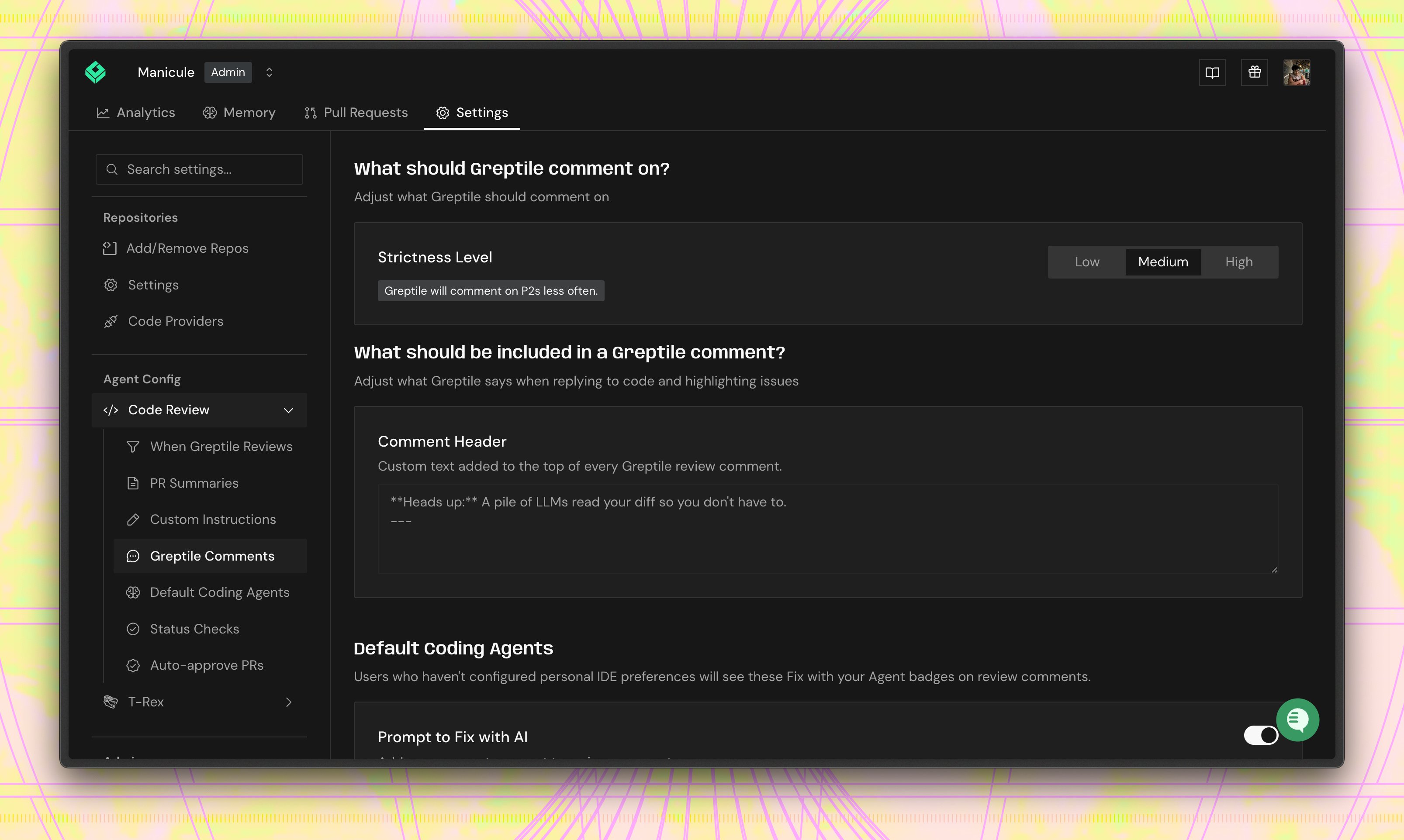
Comment Type Filtering
Filter which categories of feedback Greptile provides withcommentTypes in .greptile/config.json. All types are enabled by default.
Available comment types:
logic- Business logic issues, algorithmic problems, potential bugssyntax- Language-specific best practices, proper usage patternsstyle- Code formatting, naming conventions, structural consistency
How to Configure
- .greptile/ (Recommended)
- greptile.json
Set This array replaces the default — only the types you list will appear. Like strictness, child directories can override this for their own scope.
commentTypes in .greptile/config.json at your repository root or any subdirectory:.greptile/config.json
Ignore Patterns
Exclude files that don’t need review to speed up analysis and reduce noise.*.generated.*- Generated code**/*.test.js- Test files**/node_modules/**- Dependencies*.config.js- Config filespackage-lock.json- Lock files*.md- Documentation
Trigger Configuration
Control when Greptile performs reviews. This affects developer workflow and review frequency.- .greptile/ (Recommended)
- greptile.json
- Dashboard
Set trigger behavior in To disable automatic reviews entirely (manual trigger via
.greptile/config.json:.greptile/config.json
@greptileai only):.greptile/config.json
Troubleshooting
Settings not taking effect
Settings not taking effect
Check these in order:
- If using
greptile.json, did you commit and push it? - Are you looking at a new PR? Settings don’t affect existing reviews
- Wait 2-3 minutes - config changes aren’t always instant
- Check if the repo has a
greptile.json(it overrides dashboard) - Verify you saved the settings (look for confirmation message)
Still too many comments with strictness: 3
Still too many comments with strictness: 3
Progressive solutions:
- Reduce comment types to
["logic"]only - Add more ignore patterns for generated/test files
- Consider
autoReview: []for non-critical repos - Give the learning system 2-3 weeks to adapt to your reactions
Missing important issues
Missing important issues
Check these settings:
- Is strictness too high? Try reducing by 1
- Are all comment types enabled that you need?
- Check ignore patterns - are they too broad?
- Has the team been giving 👍 to important catches?
Different teams want different settings
Different teams want different settings
Best practice:
- Set organization-wide defaults in Code Review Settings at the org level
- Teams inherit org settings by default. Customize specific teams in their own Code Review Settings
- Use Inheritance & Sync on the team settings page to reset a team to match the org when needed
- For per-directory overrides within a repo, use
.greptile/folders — each package in a monorepo can have its own strictness and comment types
Reviews triggering on disabled/release branches
Reviews triggering on disabled/release branches
Solutions:
- Add release branches to excluded branches in dashboard
- Use
greptile.jsonwith branch-specific rules - Set
autoReview: []for release repos
What’s next?
- .greptile/ Configuration → for cascading per-directory settings
- Train the learning system → to automatically reduce noise over time
- Add custom standards → for team-specific rules
- Set up cross-repo context → for related repositories