The rise of the term "vibe coding" makes solo development sound easy and breezy to the uninitiated. But if you're building serious, complex applications, you're probably not just breezily prompting your way to a fully formed product. You're in the weeds, thinking about system architecture, code quality, security risks, and more. It's a lot for one person to juggle.
But you're not really alone as a solo dev, are you? Instead of human coworkers, you have virtual teammates: a set of AI coding tools to help with every step of the software development lifecycle (SDLC).
Here's what the best teammates (er, tools) should give you as a solo dev:
- Speed: You're just one person, but you want your output to scale.
- Context and control: You need tools that understand your whole project while still letting you hold the reins.
- Ease of use: You don't have time to mess around with a clunky UI or broken integrations that force constant context switching.
- Low noise: Your AI coding and review tools essentially act as junior devs. You need them to be predictable, accurate, and not annoying.
In this guide, we're looking at the best AI coding tools for solo devs. We'll break down popular options and show how one-person teams use them to ship production-ready code faster.
5 kinds of AI coding tools you need for your stack
As a solo dev, you don't need an enterprise-sized tool stack, but you likely will need more than one AI coding tool to build a complete, well-rounded virtual engineering team. At the very least, you should have one tool for writing code and one for reviewing it: our research shows that models are worse at catching bugs in their own code.
Here are the five main categories of AI coding tools that can support your solo dev workflow. (If you work in a large or messy codebase, see our guide to the best AI coding tools for complex codebases.)
AI coding assistants
AI coding assistants plug into your existing IDE or run in your command line. For solo builders, CLI-first tools (e.g., Claude Code, Aider) act like terminal-native junior engineers that make multi-file edits, handle git commits, and run scripts while you stay focused in your primary editor. Review tools are moving into the terminal too: the Greptile CLI runs a code review on your local branch before you push.
AI code editors
AI code editors are IDEs built around AI: the editor and codebase indexing live in a single product. Solo developers like AI editors (e.g., Cursor, Windsurf) because native codebase indexing gives one builder fast, project-wide context. They offer deeper, more continuous AI integration than standalone terminal tools and chat interfaces, which helps you keep momentum on solo projects.
AI code generators
AI code generators are natural-language-to-app builders and component generators that create complete, running codebases or UI blocks from scratch. These prototyping tools (e.g., Replit Agent, Lovable) appeal to solo founders because they help you test and validate ideas quickly.
AI code review
AI code review tools evaluate code logic, find cross-file conflicts, and surface security bugs at the pull request stage. These dedicated review agents (e.g., Greptile, CodeRabbit) lower the risk of solo development by acting as a "peer" reviewer, giving one-person dev teams the confidence to ship fast without breaking existing features.
AI testing
AI testing tools generate, run, and maintain tests. Manual test-writing and QA take time, and most solo devs would much rather spend that time shipping features. Some tools focus on generating tests from your code (Qodo, for example, started out as a test-generation tool). Others, like Greptile's TREX, run your change in a sandbox to catch bugs that only show up at runtime.
While there are five main categories of AI coding tools, you don't necessarily need five separate tools in your stack. Some tools fall into more than one category. Greptile, for example, does AI code review plus runtime testing with TREX, which is currently in private beta. Your goal should be to maximize your productivity without sacrificing code quality and security, and to pick tools that support that goal.
TL;DR: The 6 best AI coding tools for solo devs in 2026
Of all the tools on the market (and there are a lot), these are the ones we think are the best AI coding tools for solo devs:
- Greptile: Best for AI code review when you're your own reviewer
- Claude Code: Best for terminal-based, multi-file agentic execution
- Cursor: Best for fast, visual workspace coding
- Replit Agent: Best for fast zero-to-one prototyping and cloud deployment
- Aider: Best for CLI pair programming with automated git discipline
- Hermes Agent: Best for persistent, self-improving background automation
Pricing for coding assistants changes often. All prices below are as of October 2026.
1. Greptile: Best for AI code review when you're your own reviewer
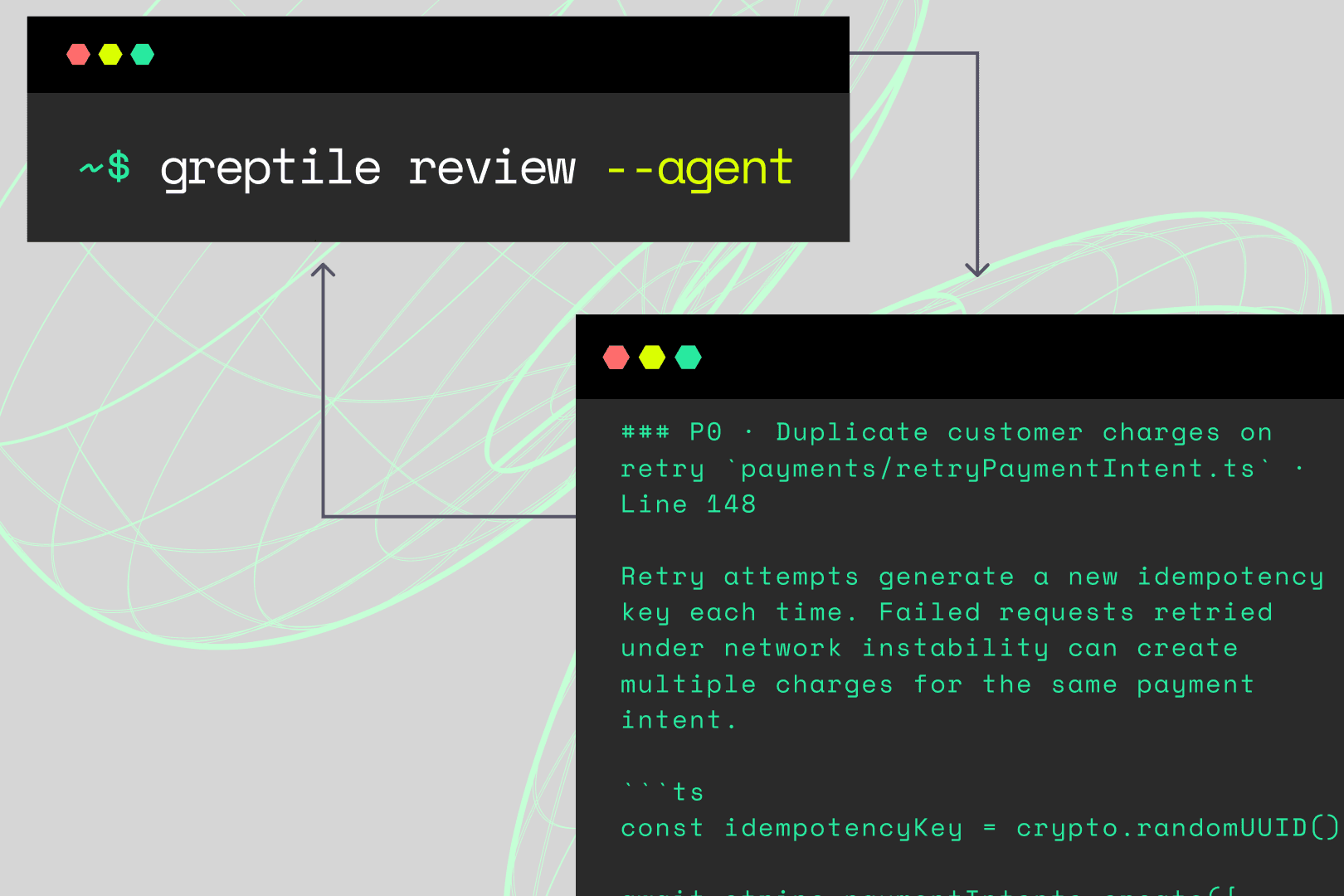
Building as a solo dev means doing without one of the biggest safety nets in software engineering: another human reviewing your code before it goes live. Greptile acts as your automated senior reviewer. It indexes your entire repo to understand how your files connect, then reviews each change to spot logic flaws, security vulnerabilities, and broken code. With the Greptile CLI, you can run reviews on your local branch before you push, and greptile review --agent prints findings as plain text with suggested fixes so your coding agent can apply them directly.
Tool type: AI code review and AI testing (via TREX, in private beta)
Use it when: You're shipping code fast and need a reviewer to catch hidden bugs and security risks before they hit production.
Cost: Free Starter plan for 1 active developer, with 50 credits per month and unlimited repositories. Pro is $30/seat/month with 50 credits per seat and extra credits at $1 each, with a 14-day free trial. Greptile is also free for qualified open-source projects.
| Pros | Cons |
|---|---|
|
|
Key comparisons
- Greptile vs. Claude Code: Tools like Claude Code help you write code fast, but a model tends to miss the same kinds of bugs it introduces. Greptile acts as an independent second pair of eyes to catch what your generation tools miss.
- Greptile vs. Replit Agent: Replit Agent is an AI code generator, and Greptile is an AI code reviewer. You'd use Replit Agent to build and deploy web apps from plain-language prompts, and you'd use Greptile to review your code before merging new changes.
2. Claude Code: Best for terminal-based, multi-file agentic execution
Claude Code is Anthropic's AI coding agent. It started in the terminal and now also runs in IDEs and a desktop app. It sits right in your workspace, ready to answer questions, make edits, run tests, and debug errors. For a solo developer, it acts as an autonomous coding partner that takes on time-consuming implementation work.
Tool type: AI coding assistant
Use it when: You need to run multi-step refactors across several files, run local build scripts, or debug errors right from your command line.
Cost: Included in Claude's paid plans: Pro is $20/month billed monthly ($17/month billed annually), and Max starts at $100/month. You can also pay as you go with Anthropic API credits. Claude Code isn't included in the free Claude plan.
| Pros | Cons |
|---|---|
|
|
Key comparisons
- Claude Code vs. Aider: Both give you strong terminal-first workflows, but Aider leans into granular, step-by-step git commits and works with almost any model. Claude Code shines when you want an agent to run terminal commands and work through multi-step tasks on its own.
- Claude Code vs. Cursor: AI editors like Cursor give you a full, visual workspace to co-author code with AI. Claude Code is built for delegation: the agent does the coding while you review the output and steer the architecture.
3. Cursor: Best for fast, visual workspace coding
Cursor is an AI-native IDE built on VS Code. It's designed for hands-on, visual work. For a solo developer, it can be your main workstation, where you build features, inspect changes, navigate your codebase, and ship production-ready code faster.
Tool type: AI code editor
Use it when: You want to co-author features with AI in a visual editor and ask questions about project-wide architecture without jumping between tools.
Cost: Free Hobby plan with limited Agent requests; Pro is $20/month; Pro+ ($60/month) and Ultra ($200/month) add more usage for heavy users.
| Pros | Cons |
|---|---|
|
|
Key comparisons
- Cursor vs. Aider: Terminal-first tools like Aider work in the command line, while Cursor shines with instant inline tab completions and visual diff management.
- Cursor vs. Greptile: Cursor excels at real-time, inline code generation in your editor, whereas Greptile provides repo-wide code review to validate your changes and catch bugs and logic flaws. Many solo devs use both.
4. Replit Agent: Best for fast zero-to-one prototyping and cloud deployment
Replit Agent helps devs turn raw ideas into live, hosted web apps. You describe what you want in plain text, and Replit Agent writes the code and sets up backend infrastructure right in your browser. For a solo developer, it's an instant prototype factory where you can validate proofs of concept or spin up small utility tools.
Tool type: AI code generator
Use it when: You're launching standalone projects or prototypes and care more about speed than local code control.
Cost: Free Starter plan with daily Agent credits; Core is $20/month billed monthly and includes $20 of monthly credits for Agent, compute, and hosting. Usage beyond the included credits is pay-as-you-go.
| Pros | Cons |
|---|---|
|
|
Key comparisons
- Replit Agent vs. Claude Code: Claude Code is an autonomous agent inside your local terminal. Replit Agent is an end-to-end, full-stack app builder. This is the key difference between AI coding assistants and AI code generators.
- Replit Agent vs. Cursor: AI editors like Cursor are designed for editing local codebases on your machine. Replit Agent is a managed cloud environment where the agent owns the whole lifecycle. Replit Agent trades granular control for speed. If you want a lot of control over file structure and implementation, AI code generators probably aren't the right fit.
5. Aider: Best for CLI pair programming with automated git discipline
Aider is an open-source, terminal-first AI pair programmer that works directly inside your local git repository. It maps your codebase, edits files in place, can run your linter and tests after each change, and automatically commits each change with a descriptive message.
Tool type: AI coding assistant
Use it when: You want a model-agnostic terminal tool to make multi-file edits, refactor existing repos, and keep a clean git history, without giving up your local editor or paying for an IDE subscription.
Cost: Free and open source. You only pay for the API tokens you use with your provider of choice (e.g., OpenAI, Anthropic, Gemini, DeepSeek), or nothing extra if you run local models.
| Pros | Cons |
|---|---|
|
|
Key comparisons
- Aider vs. Replit Agent: Replit Agent is a managed cloud environment that generates complete, hosted web apps from zero to MVP. Aider is built for local development, which makes it a much better fit for established, complex codebases where you want local file control.
- Aider vs. Claude Code: Claude Code is also an AI coding assistant, but it leans toward autonomous execution on Anthropic's models. Aider is more hands-on and model-neutral, which suits solo devs who prefer to drive the coding process themselves.
6. Hermes Agent: Best for persistent, self-improving background automation
Hermes Agent by Nous Research is a different kind of AI tool from IDE copilots or CLI coding assistants. It's an open-source, self-hosted agent that runs persistently on your server or a spare machine. For a solo dev, it's like having an asynchronous assistant to handle repo maintenance, background checks, or long-running tasks.
Tool type: General-purpose AI agent
Use it when: You want an always-on AI assistant to handle recurring background tasks, repo monitoring, multi-step research, or MLOps pipelines.
Cost: Free and open source (MIT license). You pay for your own hosting and whatever model APIs or local models you connect to it. Nous Research also sells model access through Nous Portal, with paid plans from $20/month.
| Pros | Cons |
|---|---|
|
|
Key comparisons
- Hermes Agent vs. Replit Agent: Replit Agent is a packaged cloud app generator for building working web prototypes in your browser. Hermes is a self-hosted agent that plugs into your existing setup and learns your habits over time. If you're prototyping a quick MVP, go with Replit. If you're building long-term background automation for your solo stack, choose Hermes.
- Hermes Agent vs. Aider: Hermes and Aider are both "assistants," but they do different jobs. Aider is a hands-on, interactive terminal tool for coding sessions inside a local repo. Hermes runs independently in the background across multiple projects while keeping long-term notes.
Best AI coding tools for developers by language
Different languages come with different kinds of friction, so the right AI tool depends on how it handles language-specific context, compiler feedback, and project scale. Review tools like Greptile work across languages, so solo devs can get full-codebase reviews no matter which language or coding tool they build with.
| Language | Best AI coding tool(s) | Why |
|---|---|---|
| Any language | Greptile | Greptile reviews code with your whole codebase as context, regardless of language, so it works for single and multi-language repos. |
| Java | Cursor | Large, enterprise-style Java repos benefit from deep in-editor codebase indexing, which Cursor does well compared to lightweight CLI agents. |
| Python | Aider, Claude Code | Python's fast, iterative style fits terminal tools that run scripts as they go. |
| Swift | Cursor | Cursor's codebase indexing helps keep SwiftUI and UIKit context straight across files, while Xcode stays your tool for builds and previews. |
| Rust | Aider | Aider can run cargo check or your test command after each edit and fix the borrow-checker errors it reports. |
| C# | Cursor | Cursor is great for navigating dense .NET solutions in the editor. |
| Kotlin | Cursor | Cursor's codebase indexing keeps multi-file Android and Jetpack Compose context accurate in the editor. |
| Ruby | Claude Code, Aider | Terminal tools are good at running RSpec suites and Rails migrations locally. |
| TypeScript | Replit Agent, Cursor | Replit Agent spins up React and Node apps quickly, and Cursor edits complex typed code. |
The future of AI coding tools: complete agentic workflows
Solo devs have unique needs. When you're building alone, you need AI coding tools that scale your entire development lifecycle, not just the part where you write code. That means your stack should cover a range of tool types: code generators, coding assistants, editors, reviewers, and testers. Together, these tools give you the support and structure to:
- Automate tedious work
- Scale your speed while improving your code
- Get thorough code reviews without waiting on a teammate
- Have a built-in pair programmer
But solo devs face a common, modern problem. As agentic workflows become the norm, you need tools that scale your work and your speed without losing agency, control, or understanding of your code.
Too many AI coding tools, especially review and automation tools, pull you away from the code, which makes it harder to understand, validate, and improve. Some solo devs try to solve this by building their own review tool, but that can be a trap.
A dedicated review tool like Greptile gives you that support without the time it takes to build and maintain your own. For example, you can catch more bugs, faster, with:
- Multi-model review: You shouldn't review agent-written code with the same model that wrote it, because models miss the same kinds of bugs they introduce. Greptile's experimental Model Inversion feature routes each review to a different model than the one that wrote the code, so you can mix and match coding tools freely.
- Independent validation: You can't count on AI models to catch their own mistakes. Whatever tools are in your stack, use an independent reviewer to double-check your changes.
- Automation that fits your workflow: Reviews that run on your PRs and in your terminal help you stay in the zone during solo building sessions, with the right balance of speed and architectural control.
- Runtime testing and validation: Runtime testing tools like TREX catch bugs that only show up when the code runs. In our evals, Greptile review with TREX catches 20% more bugs. TREX is in private beta and runs on the PRs that match the filters you set.
- Partner context: Solo devs often rely heavily on third-party code, which means many bugs live in how your code calls someone else's, like a Stripe webhook handler that isn't idempotent. Greptile's partner context reviews those calls against documentation, best practices, and common failure modes maintained by the partner, catching third-party bugs that would otherwise be invisible.
- Complete agentic workflows: The future of AI coding is end-to-end execution across the full software lifecycle. For solo devs, agentic workflows for coding and for reviewing, testing, and validation are the key to scaling your output toward what a full engineering team can do.
You can start with Greptile's free Starter plan for one developer, and qualified open-source projects can use Greptile for free. Try Greptile free to get automated code review on every PR →