
PR Status
Get a quick status check for any PR: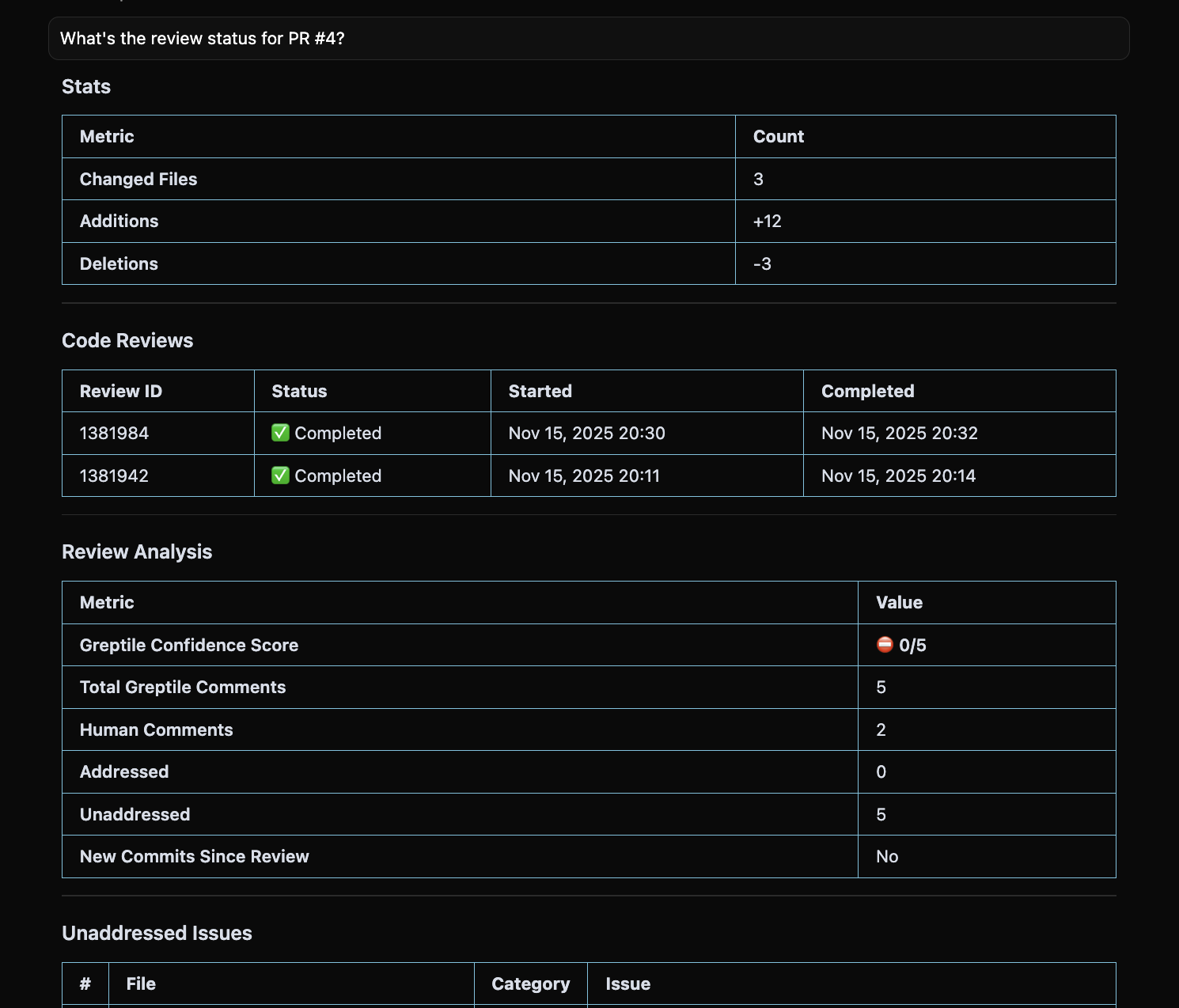
get_merge_request
Response includes:
reviewCompleteness: “2/5 Greptile comments addressed”hasNewCommitsSinceReview: Whether re-review neededaddressedComments/unaddressedComments: Full lists
Weekly Summary
Generate a report of open PR status: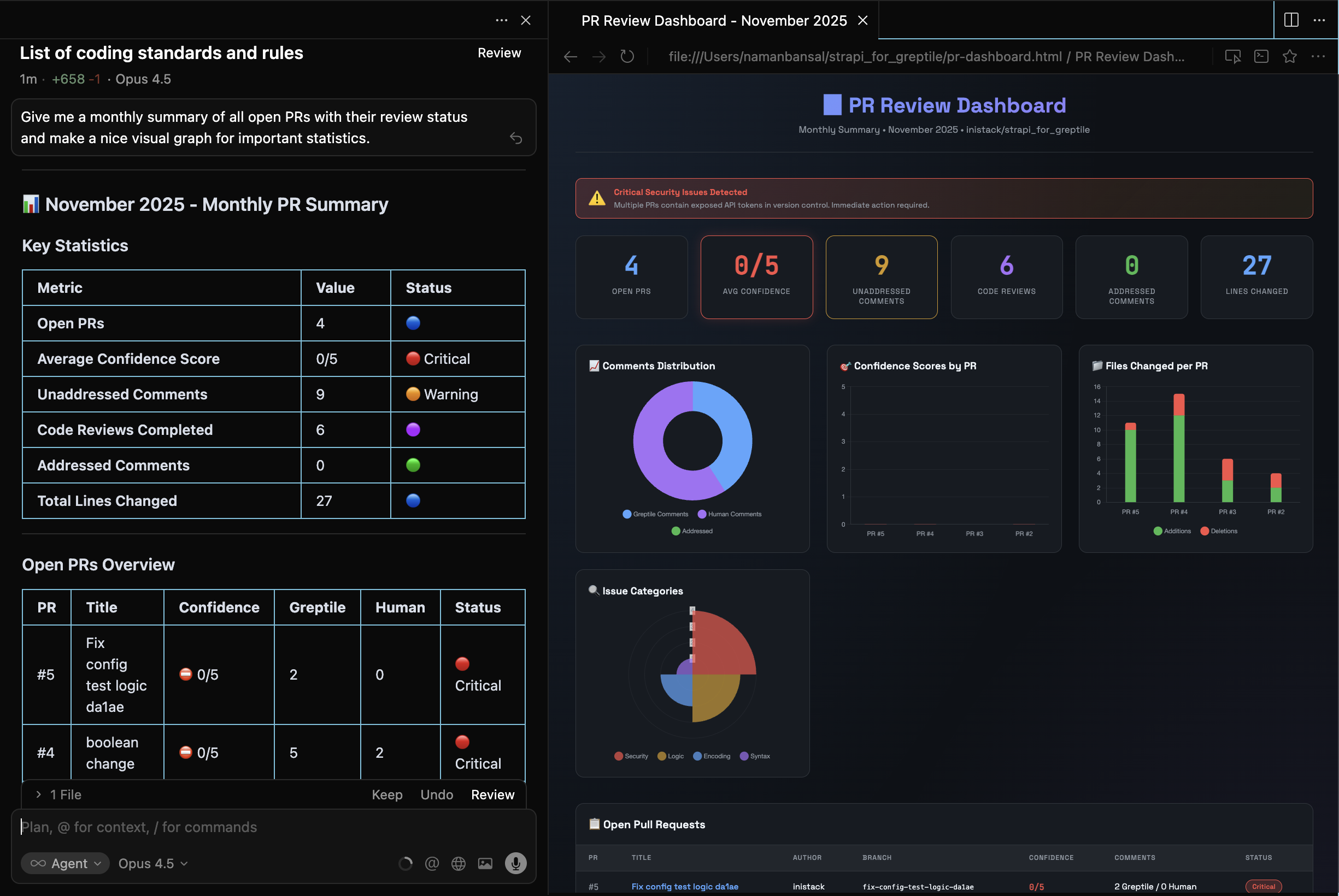
- Calls
list_pull_requestswithstate: "open" - For each PR, calls
get_merge_requestto getreviewAnalysis - Compiles: PR number, title, author, age, completeness, unaddressed count
Team Metrics
Comments by repository
Comments by repository
Review completion rate
Review completion rate
get_merge_request → aggregates reviewAnalysis across PRsStale PRs
Stale PRs
list_pull_requests → filters by createdAtIssues with fixes available
Issues with fixes available
search_greptile_comments → checks summary.withSuggestionsIssues by file
Issues by file
search_greptile_comments → groups by filePathCode Review History
Recent reviews
Recent reviews
list_code_reviews with status: "COMPLETED" and limit: 10Review details
Review details
Failed reviews
Failed reviews
list_code_reviews with status: "FAILED" or "SKIPPED"Next Steps
Auto-Fix Workflow
Fix issues identified in your reports
Custom Context
Track which patterns trigger the most comments
list_pull_requests+list_merge_request_commentsfor each