What You Get
- Spec document analysis - Greptile reads product requirements and technical specifications
- Architecture alignment - Verifies code follows documented architecture patterns
- Business context - Understands product goals and constraints from planning docs
- Design system compliance - Checks against design system documentation
Setup
Get Notion API Key
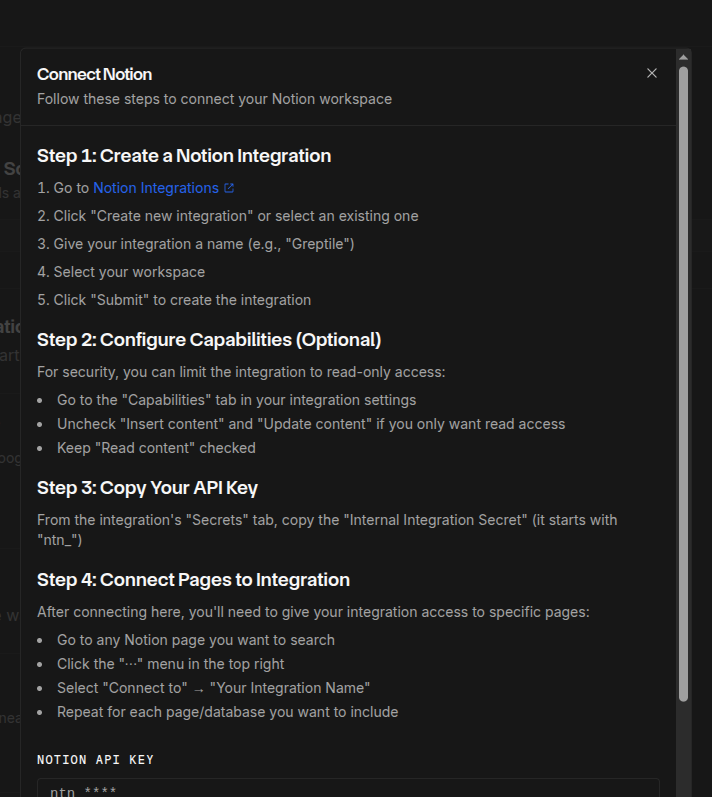
- Go to the Notion integrations page
- Create a New Integration (or use existing)
- Enter integration name
- Select associated workspace
- Choose integration type
- Go to Configuration tab
- Set capabilities (Read, Update, Insert content)
- Copy the Internal Integration Secret