
- the Greptile MCP server, for reading and resolving review results and for searching your organization’s knowledge base and coding patterns
- the Greptile CLI, for reviewing your working branch before a pull request exists
Prerequisites: A Greptile account with your repositories connected, Claude Code v2.1 or later, and Node 22+ on your machine for the bundled CLI.
Installation
Both surfaces sign in with OAuth. There is no API key to create.1
Add the Greptile marketplace
2
Install the plugin
- User scope — available in all your Claude Code sessions
- Project scope — available to all collaborators on this repository
- Local scope — available only in this repository, only for you
3
Authenticate the MCP server
Open the
/mcp menu and authenticate greptile. Your browser opens auth.greptile.com; sign in and approve access. Claude Code stores and refreshes the tokens for you.4
Authenticate the CLI
~/.greptile/auth.json.The two sign-ins are separate: same Greptile account and same provider, but Claude Code and the CLI each hold their own tokens. You only need the one whose surface you plan to use.5
Verify the installation
greptile plugin should be listed and enabled, with the greptile MCP server connected. Then try a tool:Commands
/greptile:review dispatches a headless review: it reviews your working branch and does not need an open pull request. The result is stored on your Greptile account, so the MCP tools can read it back with source: "headless".
What You Can Do
Once installed, ask Claude Code to work with your Greptile reviews in natural language.Fix All Comments on a PR
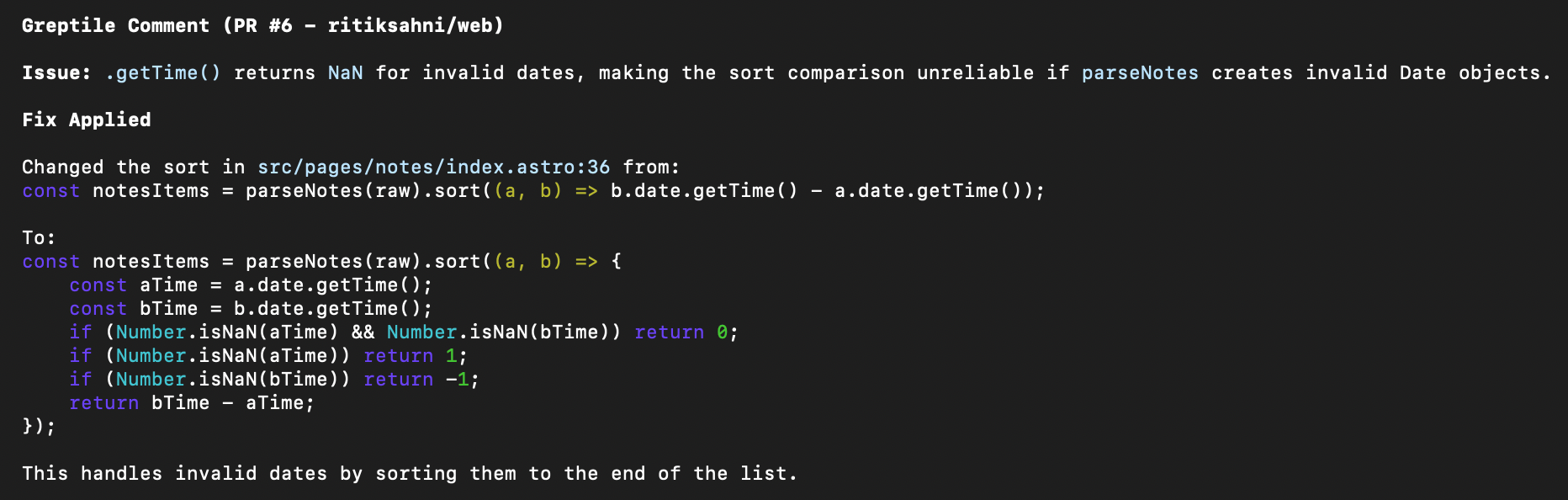
Claude applies a fix for invalid date handling based on Greptile's review comment
Review Before You Open a PR
main without needing a pull request, then summarizes the findings and offers to fix them.
Analyze Security Concerns
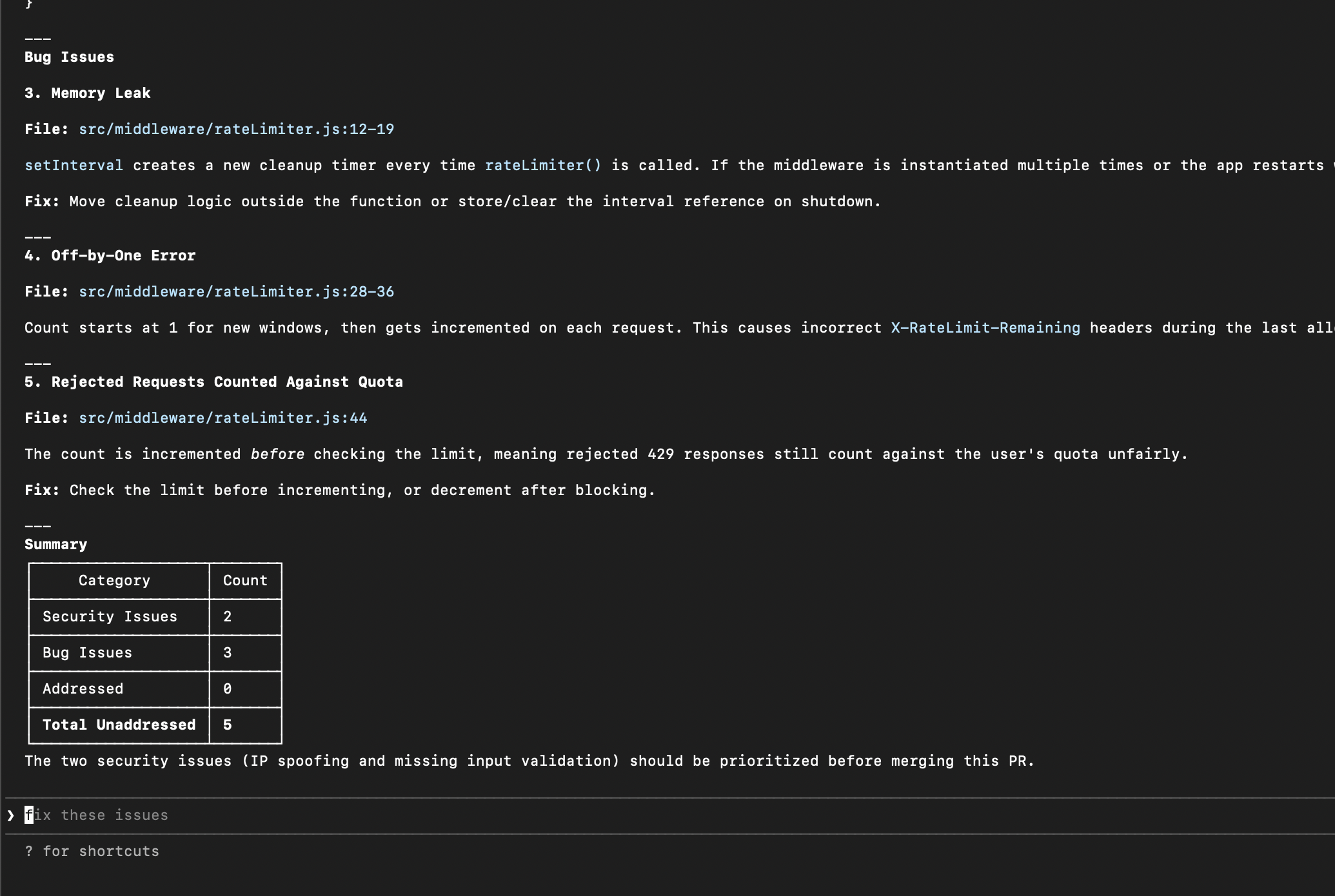
Full review analysis showing security issues, bug issues, and priority recommendations
Summarize Blocking Issues
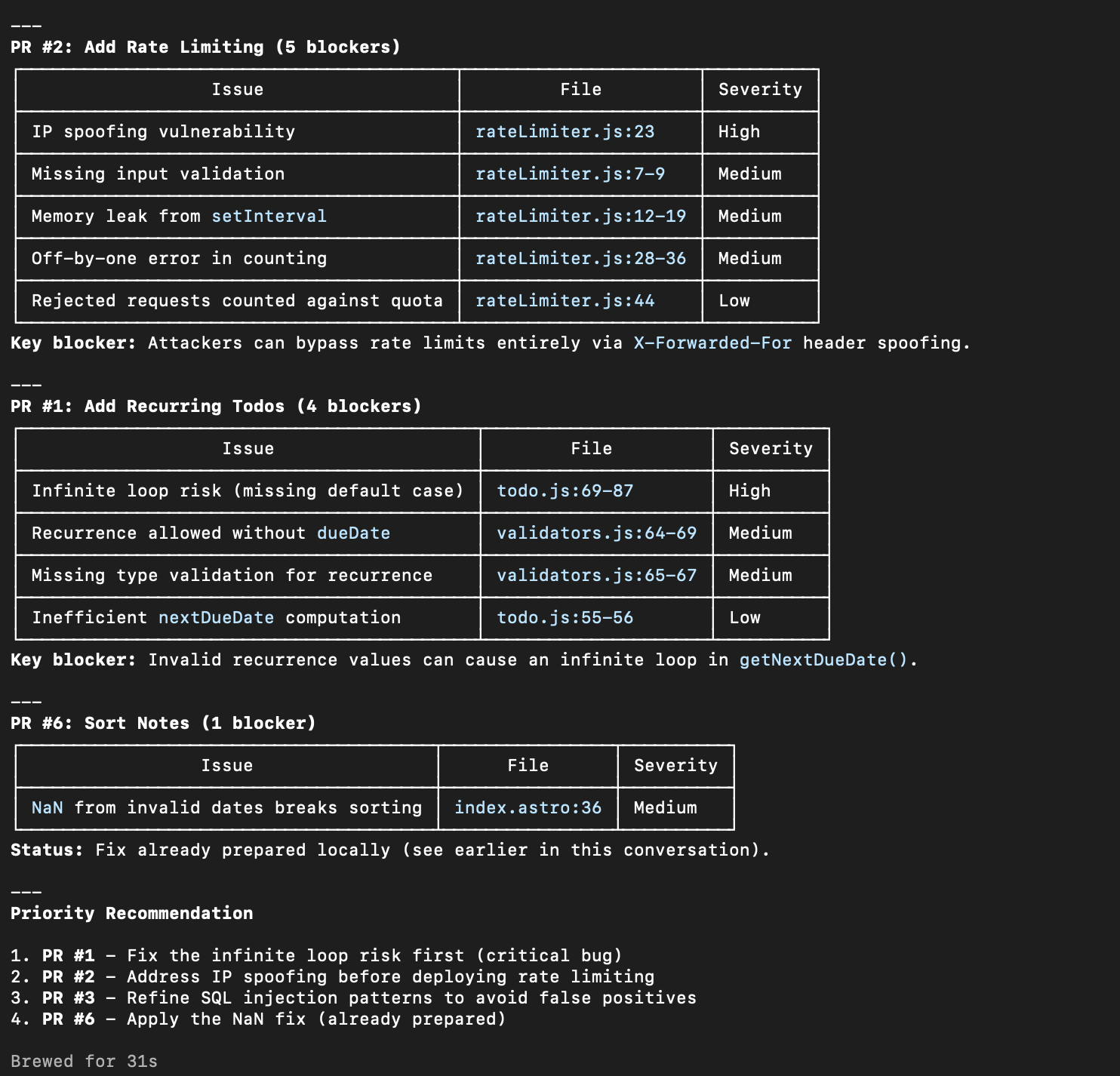
Summary of open PRs with blockers, organized by severity
Example Prompts
Pull Requests & Reviews
Working with Comments
Custom Context
Available Tools
The plugin uses Greptile’s MCP server.list_pull_requests and list_merge_requests work identically.
Pull Request Tools (4)
Pull Request Tools (4)
- list_pull_requests — List PRs with filters (author, state, branch)
- list_merge_requests — Alias of
list_pull_requests - get_merge_request — Get full PR details including review analysis
- list_merge_request_comments — Get all comments on a PR
Code Review Tools (3)
Code Review Tools (3)
- list_code_reviews — List reviews with status filters
- get_code_review — Get detailed review information
- trigger_code_review — Start a new review on a PR
Comment Search (1)
Comment Search (1)
Custom Context Tools (4)
Custom Context Tools (4)
- list_custom_context — List org coding patterns
- get_custom_context — Get pattern details
- search_custom_context — Search patterns by content
- create_custom_context — Create new patterns
Knowledge Base Tools (4)
Knowledge Base Tools (4)
- list_knowledge_bases — List the knowledge bases you can access
- list_knowledge_base_documents — List documents in a knowledge base
- get_knowledge_base_document — Read one knowledge base document
- search_knowledge_base — Search documents in a knowledge base
Analytics Tools (3)
Analytics Tools (3)
- get_analytics_overview — Summary metrics, period changes, chart series, and repository, contributor, and pull request rankings
- list_analytics_findings — Findings with severity and security totals and trends, filterable by team, repository, author, severity, or status
- list_analytics_filter_options — The teams, repositories, and authors available to you as filters
The bundled CLI
The plugin ships the Greptile CLI, so/greptile:review works with no npm or Homebrew install. The bundled copy is the published greptile npm package, verified byte-for-byte in CI against the version it records, and it updates when the plugin updates — not through greptile update, npm, or brew. Any separate greptile you have installed is untouched and unused by these commands, though both share your login at ~/.greptile/auth.json.
The plugin registers no hooks and sends no telemetry. It contacts api.greptile.com, auth.greptile.com, and app.greptile.com, plus a 127.0.0.1 loopback listener that receives the OAuth callback during /greptile:login. See the plugin source for details.
Learn More
- Agent Skills — Automate the full auto-fix loop with
/check-prand/greploop - Auto-Fix Workflow — Manual patterns for resolving comments from your IDE
- Custom Context — Managing your team’s coding standards
- Reports & Analytics — Generating review metrics and dashboards
Troubleshooting
Plugin or commands not found
Plugin or commands not found
Make sure you’re running Claude Code v2.1 or later:Then confirm the marketplace and plugin are both registered:If the plugin is listed but its commands are missing, run
/reload-plugins.A command reports that no one is signed in
A command reports that no one is signed in
The CLI keeps its own credentials, separate from the MCP server. Run:
A command fails to start
A command fails to start
The bundled CLI is a Node program. Confirm Node 22 or later is on your
PATH:No PRs or reviews found
No PRs or reviews found
Check that:
- Your repositories are connected in app.greptile.com
- You have open PRs with Greptile reviews
- Your Greptile account has access to those repositories
Next Steps
Agent Skills
Automate the full auto-fix loop with
/check-pr and /greploopAuto-Fix Workflow
Manual patterns for resolving review comments
Custom Context
Add your team’s coding standards for better reviews
Greptile CLI
Install the standalone CLI and run local reviews
Plugin source
Review the marketplace package and plugin source
MCP setup
Configure Greptile MCP in other coding tools
- search_greptile_comments — Search all Greptile comments across repos
View full parameters →