
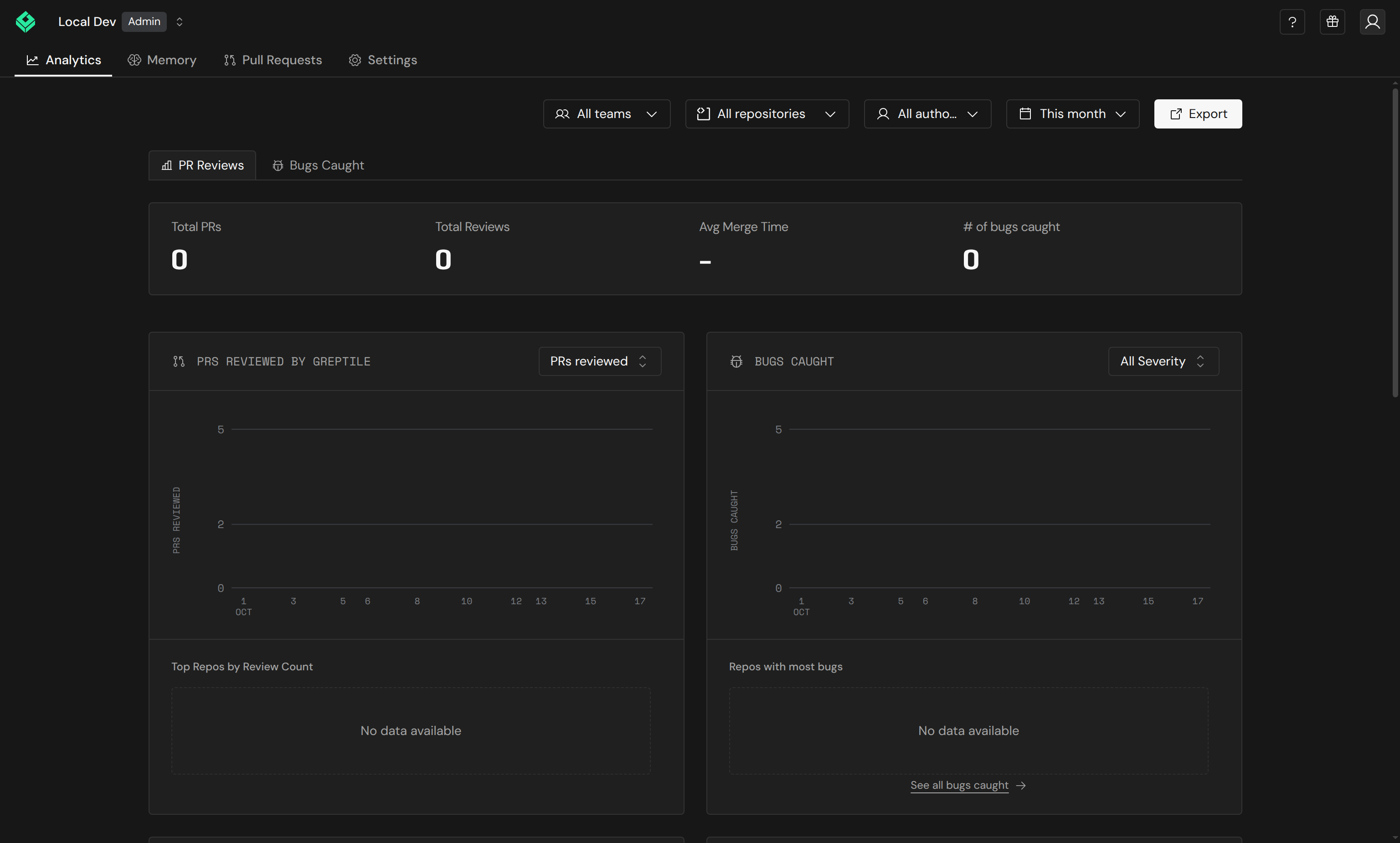
Filters
Use the filter bar at the top to scope analytics data.
Click Export to download the current analytics data.
At the team level, the Teams filter is hidden since data is already scoped to that team.
Summary cards
Four headline metrics appear at the top:Charts
Each chart pairs a time series with a leaderboard sidebar for that metric.PRs Reviewed by Greptile
A time series of pull requests reviewed per day. Switch the metric between PRs reviewed, Total reviews, Avg reviews / PR, Median comments / PR, and Mean comments / PR. The leaderboard shows Top Repos by Review Count, or PRs With Most Comments for the comments-per-PR metrics.Bugs Caught
Tracks issues flagged over time, stacked by severity. Filter by severity level:
The leaderboard shows Repos with most bugs. See all bugs caught opens the Bugs Caught tab.
Average Time to Merge
Tracks how long PRs take to merge. Toggle between Mean and Median. The leaderboard shows Top Repos by Merge Time.Top Contributors
Merged PRs split by PR author. The leaderboard lists the top contributors and the repositories they shipped to.Addressed Rate
The percentage of Greptile comments on closed or merged pull requests that were addressed — by follow-up code changes or positive feedback (marked helpful, positive reaction, or net upvotes). Shown over time with an average trend line. The leaderboard shows Top repos by addressed rate.Comment Ratings
Upvote and downvote totals for Greptile’s review comments, with a ratings chart over time. The leaderboard shows Most Upvoted Comments.Bugs Caught tab
Stat cards break findings down by severity — All bugs, security issues, P0, P1, and P2 — above a table of every finding.
Search by text, repo, PR title, author, or file. Filter by severity, security, status, repo, or author. Click a row to open the finding on its pull request (findings from CLI or branch reviews have no pull request link).
Using analytics to improve reviews
- Low addressed rate? Your rules may be too noisy. Adjust strictness or refine custom standards.
- High bug count in a repo? Consider lowering the strictness threshold for that repo to catch more issues early.
- High downvote ratio? Review your custom context rules and train the learning system with consistent reactions.
- Long merge times? Identify bottleneck repos from the leaderboard and investigate process or review load issues.