
The TREX comment
TREX posts a TREX comment on the pull request (or merge request) next to the review. While it runs, the comment shows its progress. When it finishes, the comment shows the results:
“No flows tested” means TREX couldn’t test anything. It is not a pass; check Blockers.
If TREX needed more than one attempt, the comment says so. It retries after fixing its own setup, for example when a service didn’t start the first time.
▶ opens that flow in the pull request’s TREX tab in Greptile.
Watch a flow
The pull request’s TREX tab in Greptile lists every tested flow. Open a flow to see its steps on the left and the recording on the right.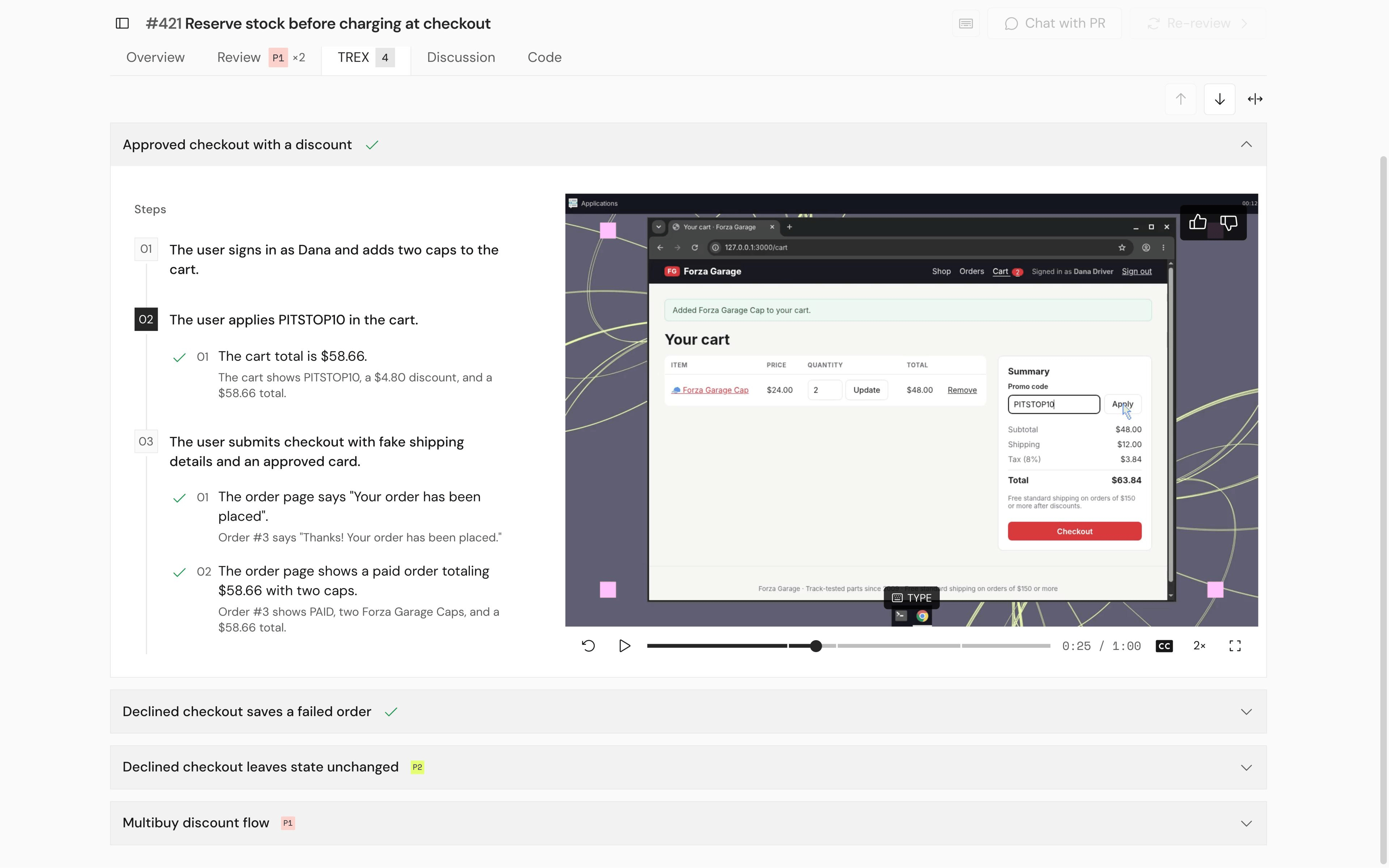
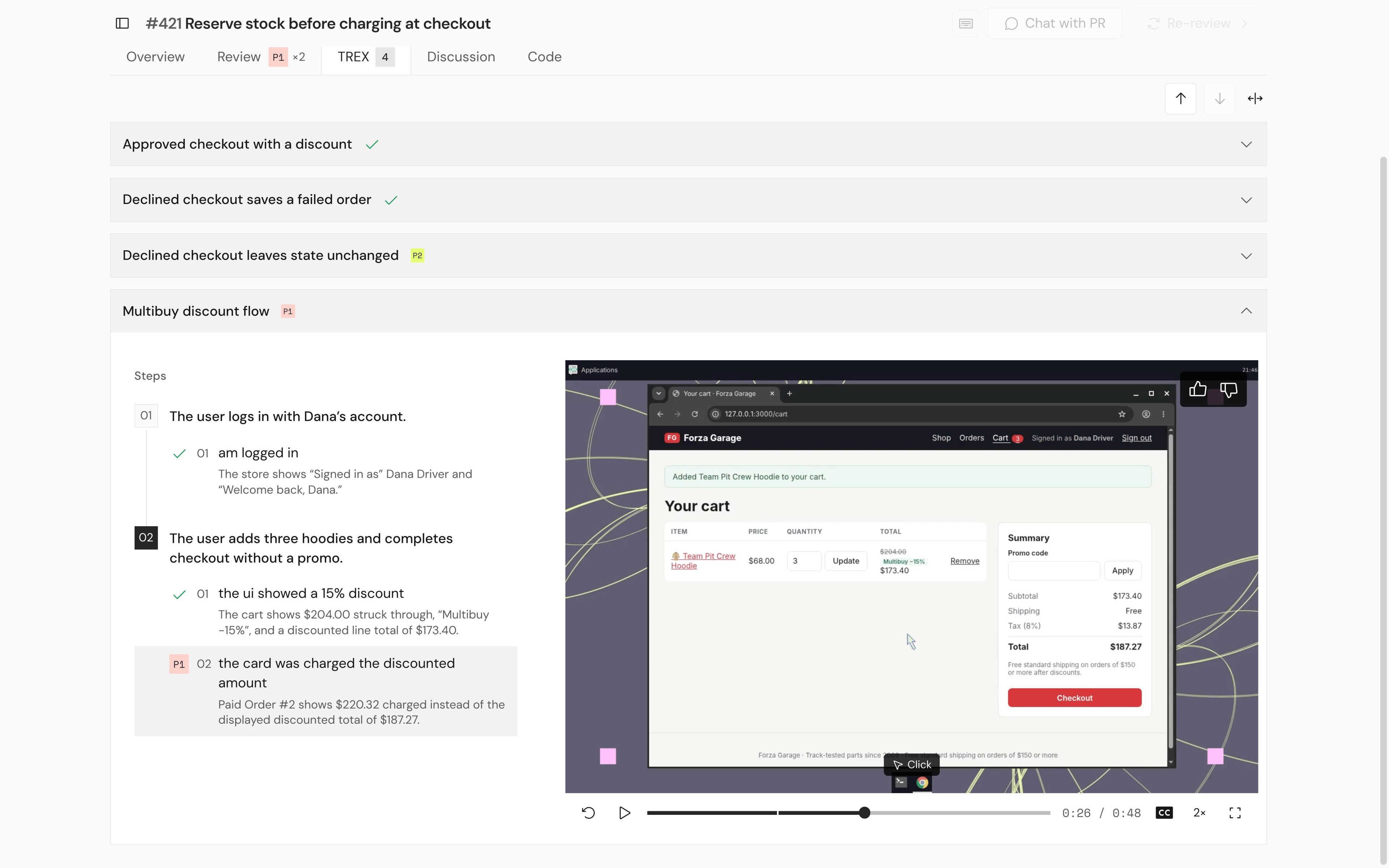
- Steps: numbered steps and the checks under each one, with what TREX observed. Each check shows its outcome:
- a severity badge (
P1,P2): the check failed and produced a finding, - ✓ passed,
- ⚠ blocked, with the reason,
- greyed out: not attempted.
- a severity badge (
- Recording: a video of TREX using your app, with captions for what it’s doing. Steps are marked as chapters on the timeline. Selecting a step or check jumps to that moment.
- Use ↑ and ↓ to move between flows, and ↔ to widen the view.
?step=2&check=1), so you can share the exact moment.
Access and retention
- Viewing a recording needs read access to the repository in Greptile. On public GitHub.com and GitLab.com repositories, anyone with the link can view it.
- Recordings and other evidence are kept for 30 days.