
Tiers
Auto picks a tier for each PR from its size, risk, and complexity. You pay for the tier that ran.
T-Rex is not compatible with Plus, Apex, or Auto at this time. T-Rex support is coming soon.
Recommendations
For most teams, we recommend three settings:- Set the default to Auto. Most PRs get Base, a thorough code review with full codebase context. PRs that need extra scrutiny get Plus or Apex.
- Run Apex on PRs into production. Add a tier rule where Target branch includes your production branch, such as
mainorproduction, and set Review tier to Apex. - Run Apex on large PRs. Apex is our most intensive review, built for large, complex PRs. Add a second rule where Files changed is More than
30, and set Review tier to Apex.
Set the tier
- Dashboard
- .greptile/ (Recommended)
- greptile.json
On the Greptile dashboard, go to Settings → Code Review → Greptile Review Configuration and pick a tier under Review tier.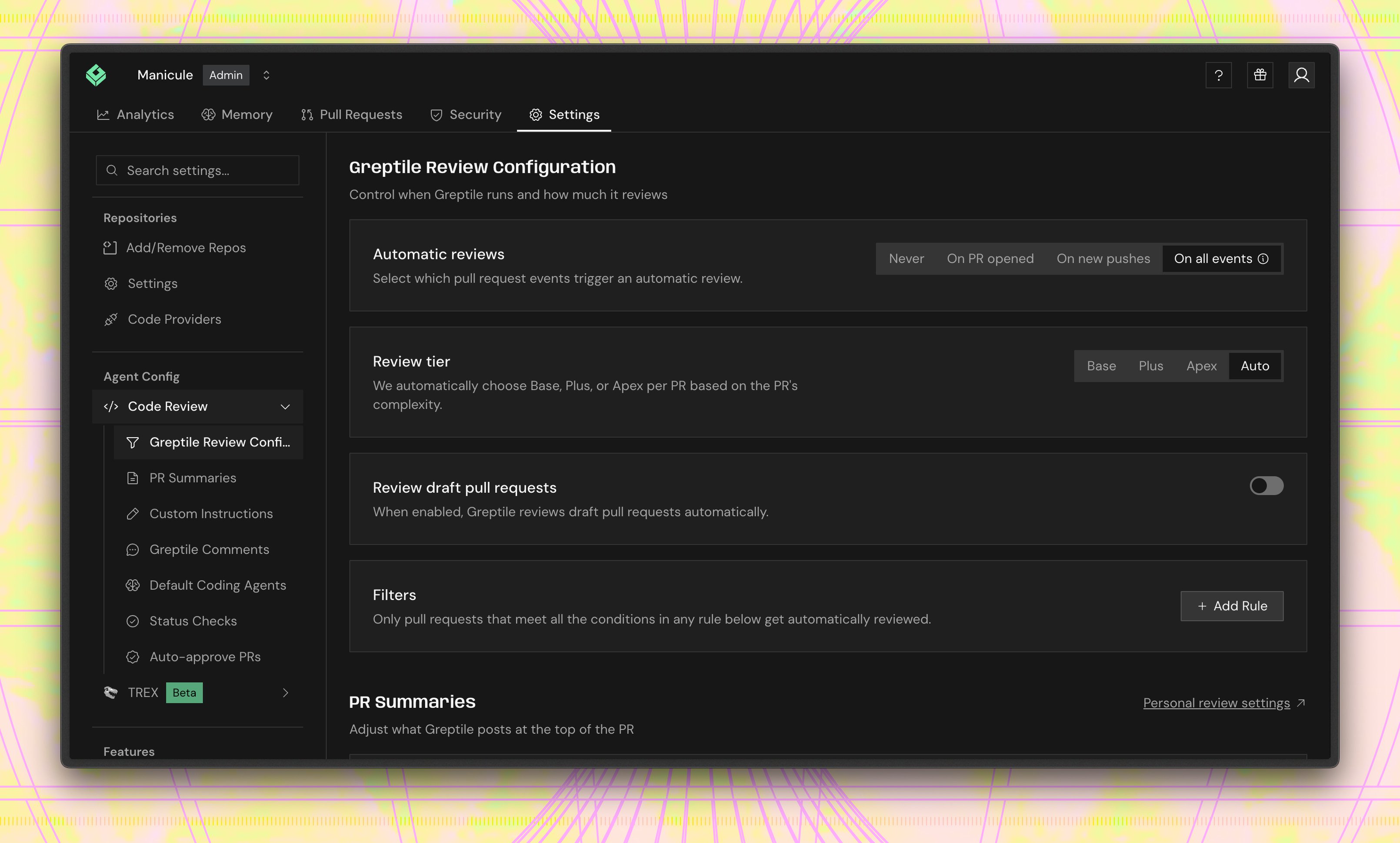
Raise it for one PR
Ask for a tier in the comment that triggers the review:@greptileai apex review and @greptileai effort: plus work too, and @greptile works in place of @greptileai. A request can raise the tier above the configured one. It cannot lower it.
The request applies to that review only. Reviews started by later pushes go back to the configured tier.
From the CLI, pass --plus or --apex:
Tier rules
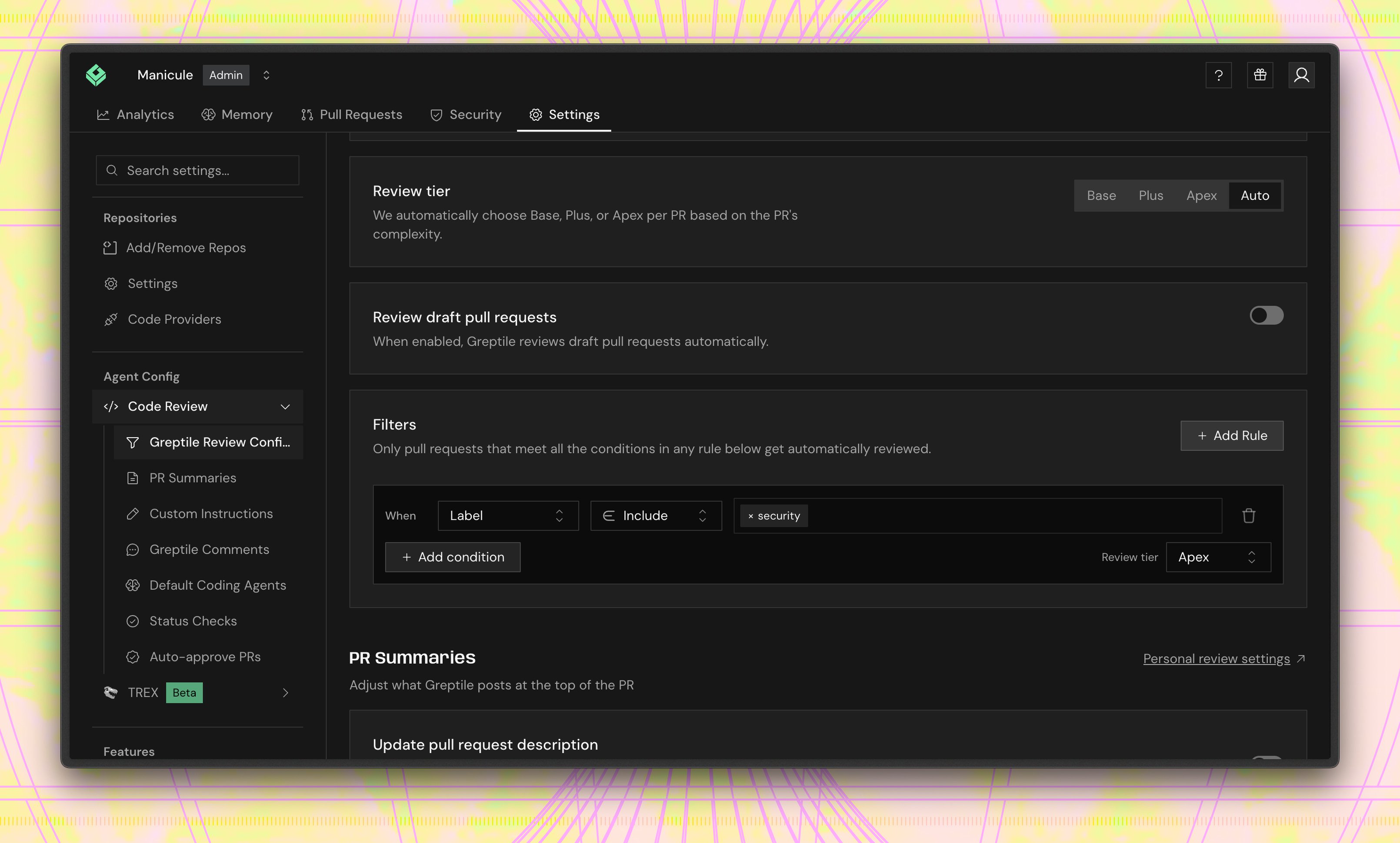
Tier rules set the tier for the PRs they match. In Settings → Code Review → Greptile Review Configuration, add a filter rule and set its Review tier. A rule can use any filter condition, such as label, target branch, file path, or files changed. For example, a rule where Label includessecurity with Review tier set to Apex runs every PR with that label at Apex.
Which tier runs
Greptile uses the highest of: the dashboard setting, the repository config, any directory config the PR touches, a matching tier rule, and a request in the trigger comment. Auto counts as no tier in that comparison, so any explicit tier beats it. The one exception is a matching tier rule set to Auto. It replaces the configured tier and lets Greptile choose for that PR. A matching Plus or Apex rule, or a request in the trigger comment, still overrides it. Plus and Apex reviews show the tier next to the confidence score in the review summary. Base reviews show nothing.What’s next?
- Billing → for how credits are counted
- .greptile/ Configuration → for per-directory settings
- Controlling nitpickiness → for strictness and comment types